Issue #190 (The VS Code Insiders Podcast)12/10/25
|
|
Exclusive holiday deals this good don't last – shop before they disappear. Sign up for our free newsletter to get them sent directly to your inbox!
|
|
As you probably know, many of the old Emmet commands that used to be part of an external VS Code extension are now bundled in VS Code by default. Two such commands are useful ones on large HTML, XML, or similar files with nested tags.
The commands are called Emmet: Balance (outward) and Emmet: Balance (inward). Both can be invoked via the command palette.
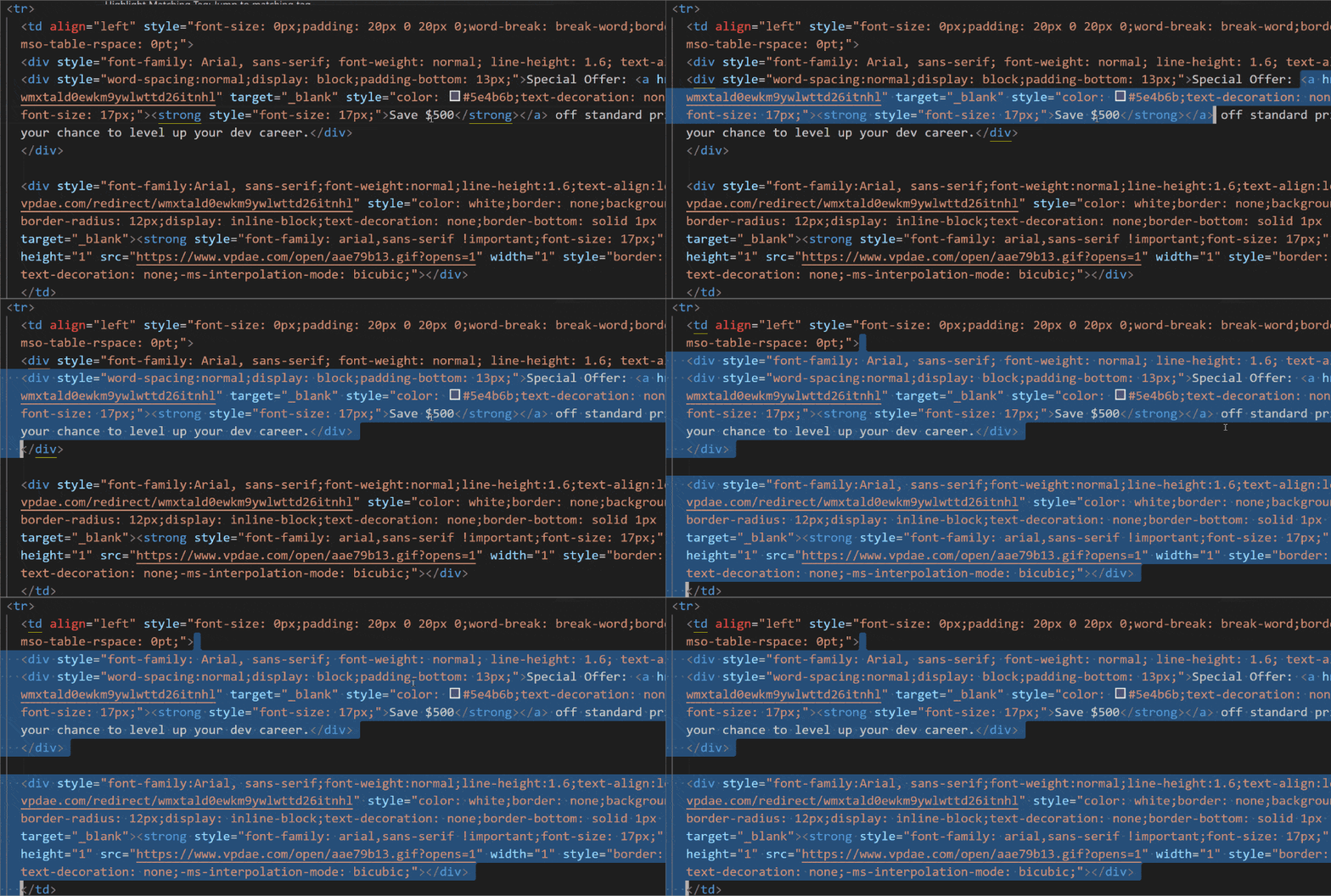
The Balance (outward) command expands the current selection to the next outer element boundary. Notice how this comes in handy in messy HTML email code below:
This can make it easier to select a chunk of HTML or XML and make sure you have a proper selection with all opening and closing tags.
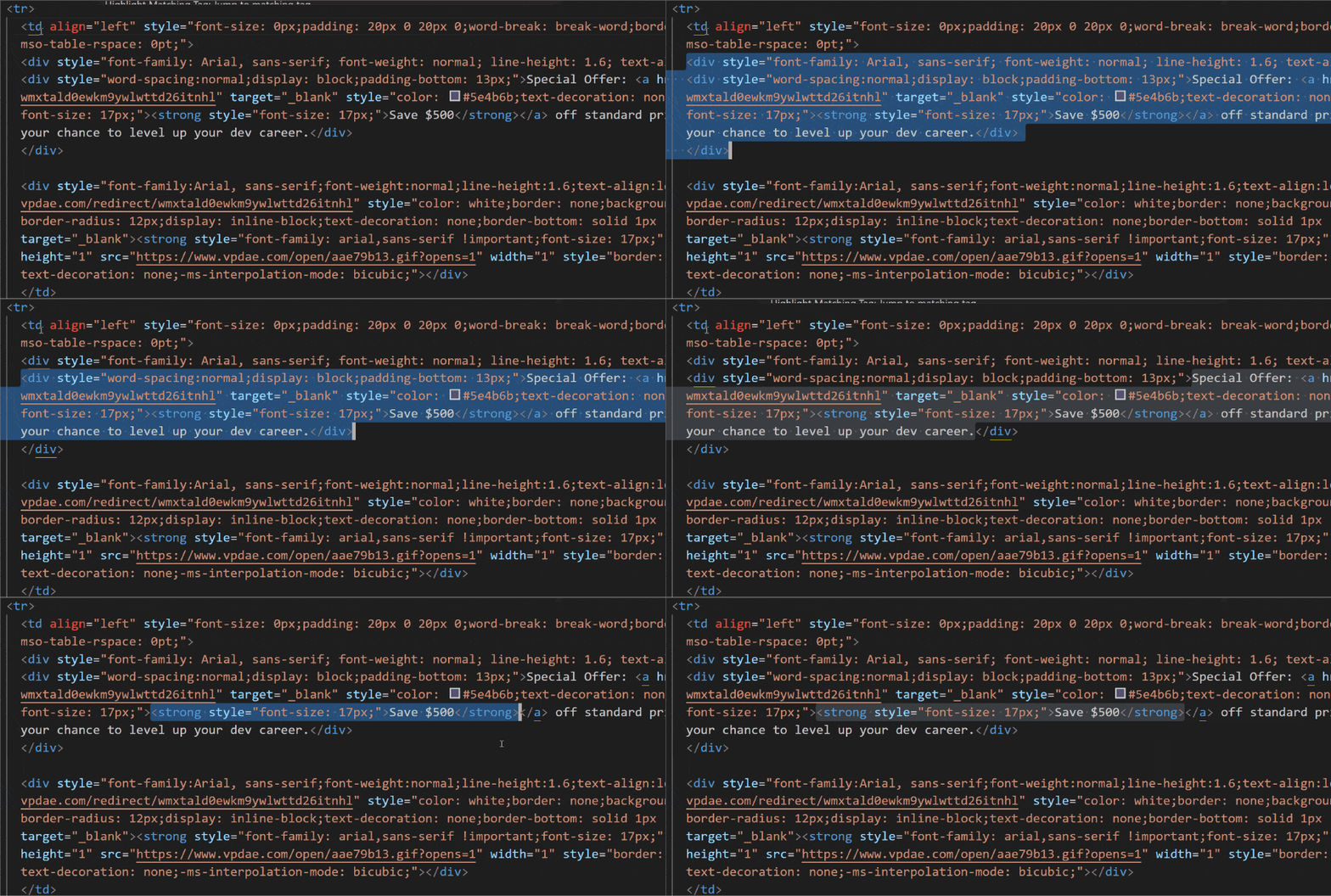
Conversely, the Balance (inward) command shrinks the current selection, essentially going deeper into the nested elements rather than shallower:
In either case, you can already have something selected or just start with your cursor in a specific area with no selection. The command will just move the selection outward or inward depending on where you start.
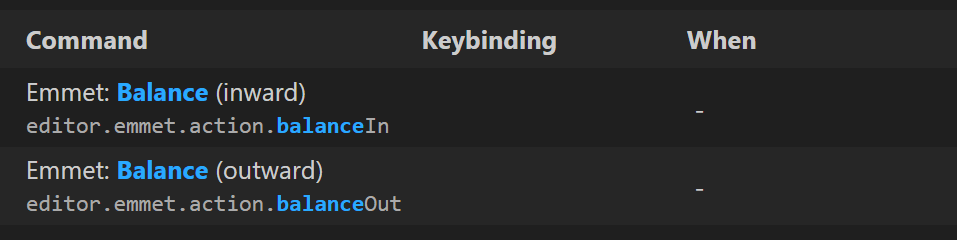
And if you find yourself using this command a lot and want to save a keystroke each time, you can tie it to a custom keybinding (it doesn't have one by default).
Of course, before adding a keybinding to something new, you should first search for that keybinding in your keyboard shortcuts to ensure it doesn't conflict with something else.
Now on to this week's hand-picked links!
|
|
|
VS Code Tools
|
Numbered Bookmarks — A VS Code extension that allows you to mark lines and jump to them, in the style of Delphi, helping you navigate your code, moving between important positions quickly and easily.
Go for Visual Studio Code — Official VS Code extension from Google, providing rich support for the Go programming language, with support for Go 1.21 or newer.
A New Place To Read Your Newsletters — We’re trying out a free app for reading newsletters called Khaki. The interface is clean, distraction-free, and only shows the newsletters I’m subscribed to, no noise of everything else in my usual inbox. Sponsor
Babel Markdown — A VS Code extension that brings real-time AI translation previews to VS Code so you can compare source Markdown with translated output in a single workspace.
|
VS Code Theme of the Week
|
assassin567 — A set of 6 diverse dark themes that have some nice color choices and might provide a few different options for dark themes, depending on your current needs.
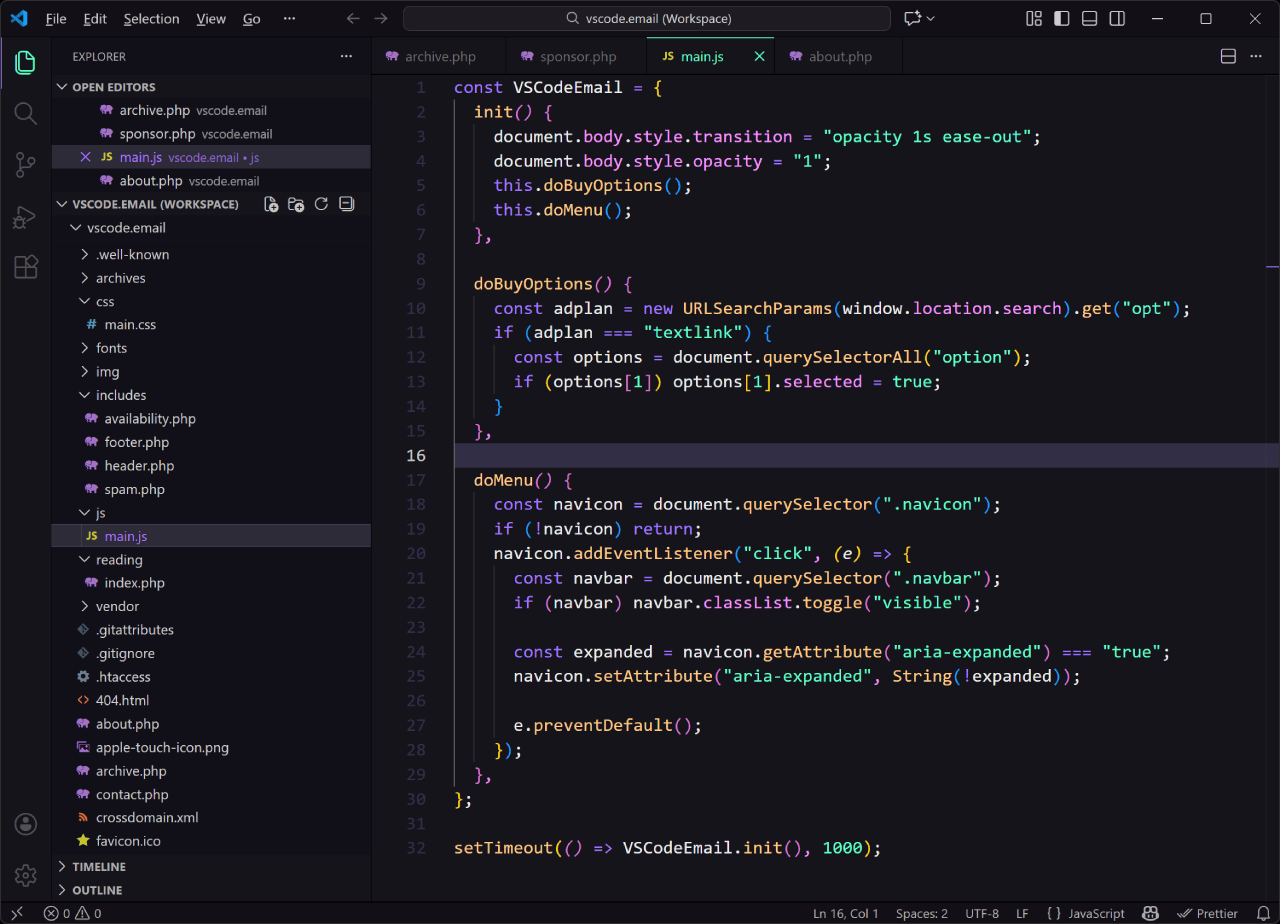
The one shown above is my favourite of the bunch, but there are a few others that I like as well. One of the other themes is a very pastel-y look that's kind of washed out and a few of the others have brighter colors and more contrast.
|
|
|
|
|
VS Code Articles & Videos
|
Introducing the VS Code Insiders Podcast — Announcement post for a recently launched podcast from the VS Code team, which takes a behind-the-scenes look at how the next generation of features is built. The podcast is already up to more than 15 episodes, so there's lots to start listening to since they began in August.
Glassworm Malware Returns in Third Wave of Malicious VS Code Packages — Report on the third wave of the Glassworm malware, which has added 24 new packages on the OpenVSX and official VS Code marketplace.
Tech Newsletters You'll Love — If you want the latest news and tools on programming, Web3, AI, team leads, automation, and more, you might want to check out some of these free newsletters. Sponsor
Hands-on with MCP Resources in VS Code — Second part in a series of articles on MCP, this one demonstrating how to discover, browse, attach, and leverage MCP resources to supercharge your AI-powered development workflow.
|
|
|
Best of the Rest
|
markon — A minimal distraction-free live Markdown editor that has different themes, import/export, and can be installed as a PWA.
Snippetly — A web-based personal snippet vault that's fast, organized, and designed specifically for developers, to save, organize, and share code snippets.
Brain Food, Delivered Daily — Every day the folks at Refind analyze thousands of articles and send you only the best, tailored to your interests. Loved by 551,675 curious minds. Sponsor
House of Calculators — A searchable calculation platform that includes calculators in the categories of mathematics, finance, health, science, engineering, and more.
If you have any link suggestions, including a tool, article, or other resource related to VS Code or another IDE, you can hit reply, send it via DM on X, or via chat on Bluesky.
That's it for this issue.
Happy VS Coding!
Louis
VSCode.Email
@LouisLazaris
|
|
|