Issue #191 (The Fetch Tool in AI Chat)12/17/25
All Newsletter, No Noise.
We hear constant complaints from readers about their inbox chaos and the inability to find the newsletters they’re actually looking for, including ours. Recently, we were introduced to Khaki, a free app that solves for this.
|
It strips away all the unnecessary content and features, so you can enjoy reading the content you’re subscribed to without distractions, to create the ultimate reading experience.
|
|
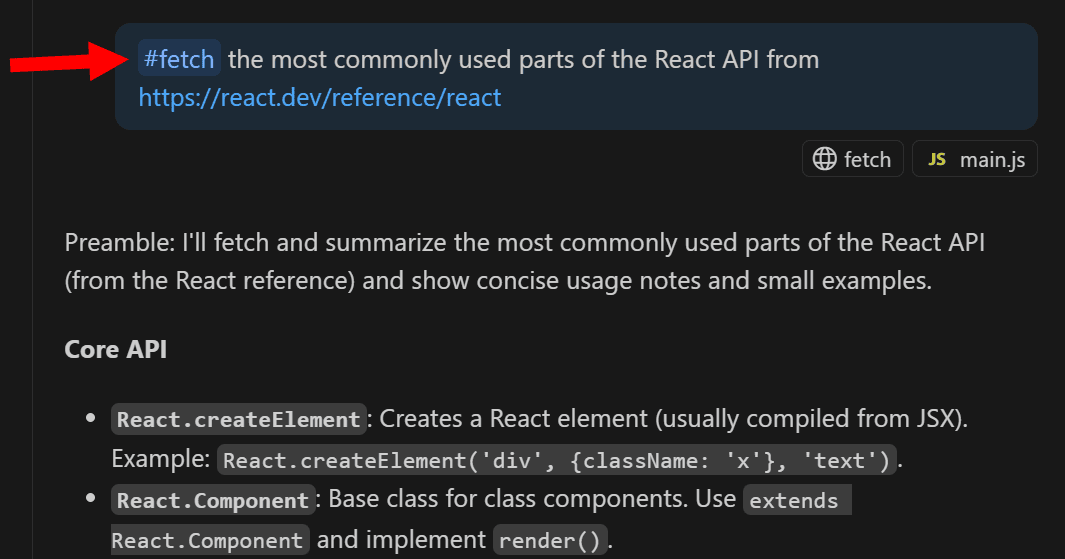
Not too long ago, VS Code's AI chat began supporting a #fetch tool, which enables you to ask the chat to retrieve publicly accessible content from a web page to be included as context in your prompt. This can be useful for grabbing info from documentation.
This can help to ensure you get the latest documentation and not something from a few months ago that's out of date. If you're using VS Code's agent mode, this tool is used automatically, otherwise you can trigger it using the #fetch keyword, as shown in the example above.
The #fetch tool has some limitations, including:
- No access to, or limited access to, JavaScript-rendered content. This may change in the future as the tool improves.
- No access to content that requires authentication, since the fetch process is done via a headless browser
Content that's fetched is cached locally in a headless browser, so you can continue to access that content without needing to re-render it each time you request.
Now on to this week's hand-picked links!
|
|
|
VS Code Tools
|
React Native Directory — A VS Code extension that enables you to find and install packages for all of your React Native apps from inside VS Code.
OpenVSCode Server — A project provides a version of VS Code that runs a server on a remote machine and allows access through a modern web browser.
The Best Time to Forecast? Now. — Q4 is the perfect window to turn this year’s numbers into a clear, actionable forecast aligned with your goals. Set your business up for a stronger 2026 with BELAY’s new guide. Sponsor
Zentara Code — An AI coding assistant for VS Code that turns chat instructions into precise, auditable changes in your codebase, optimized for speed, safety, and correctness through parallel execution, LSP semantics, and integrated runtime debugging.
|
VS Code Theme of the Week
|
Orange Flavor — A set of four themes centered around the color orange, with two dark themes and two light themes (although it seems to be two primary themes with very small changes in the alternate themes).
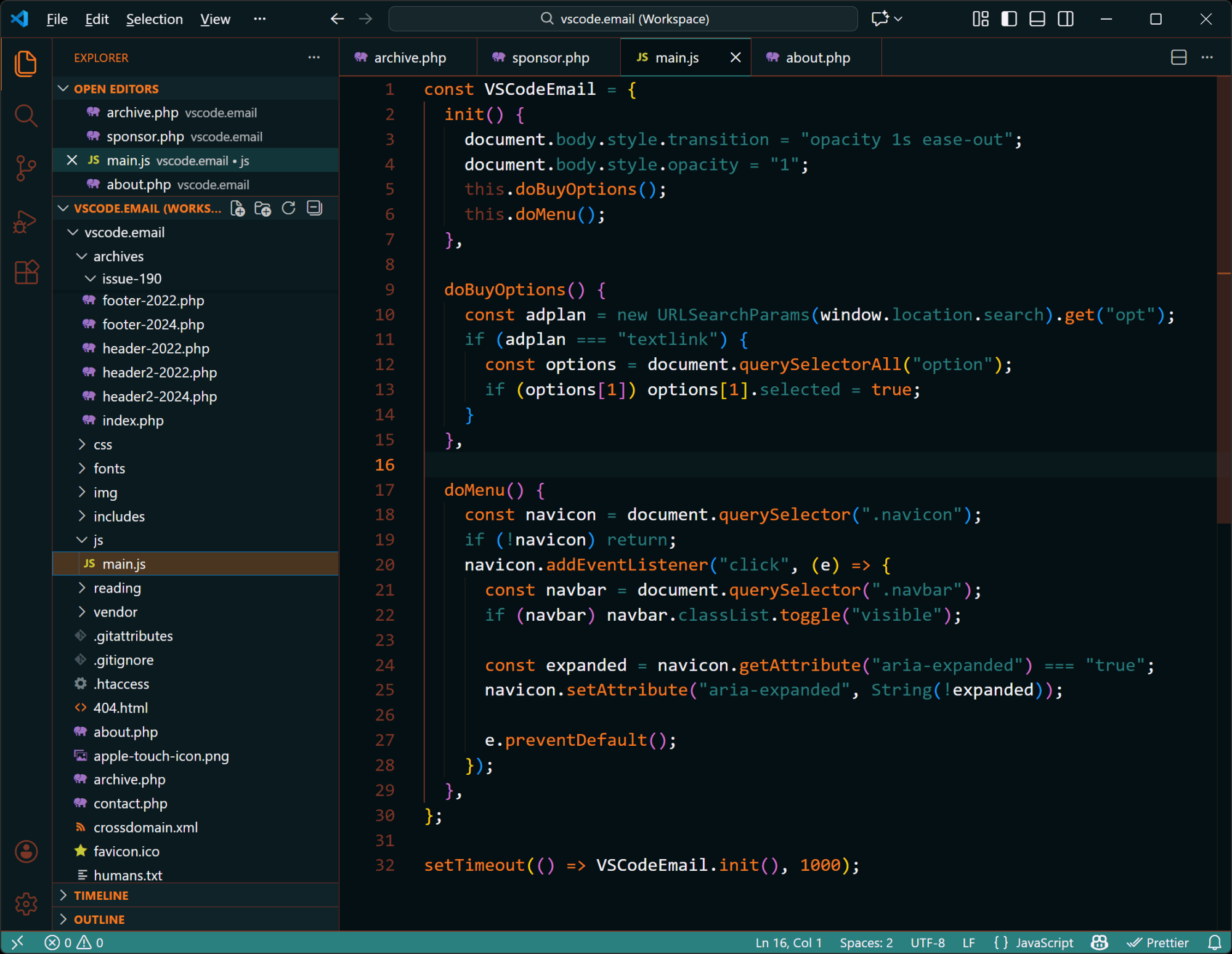
The dark theme is shown above but I also really like the light theme which almost has a 'creamsicle' feel to it.
|
|
|
|
|
VS Code Articles & Videos
|
VS Code 1.107 (November 2025 Updates) — The latest version of VS Code includes Agent HQ to manage all your agents in one place, a better editor experience, TypeScript improvements, and lots more.
VS Code Deactivates IntelliCode in Favor of the Paid Copilot — To be clear, this is not deactivating IntelliSense, as some may have thought. This is about an inline suggestions extension called IntelliCode, now replaced by Copilot (though with limits for the free plan). See issue on GitHub.
Tech Newsletters You'll Love — If you want the latest news and tools on programming, Web3, AI, team leads, automation, and more, you might want to check out some of these free newsletters. Sponsor
React Basics: Getting Started with React and Visual Studio Code — This is mostly a React intro, but in the context of working with VS Code, along with modern build solutions rather than the now-deprecated Create React App.
|
|
|
Best of the Rest
|
VueUse Playground — An online playground for fiddling around with VueUse, the collection of Vue composition utilities.
Nxtlify — An unofficial theme builder to create beautiful, customizable themes for your Nuxt UI components, enabling you to define your own colors and customize all variants to your liking.
Brain Food, Delivered Daily — Every day the folks at Refind analyze thousands of articles and send you only the best, tailored to your interests. Loved by 551,675 curious minds. Sponsor
How I am Using Helix Editor — One developer's experience using Helix, the Neovim alternative, with details on Tmux setup, Vim bindings, useful keybindings, and more.
If you have any link suggestions, including a tool, article, or other resource related to VS Code or another IDE, you can hit reply, send it via DM on X, or via chat on Bluesky.
That's it for this issue.
Happy VS Coding!
Louis
VSCode.Email
@LouisLazaris
|
|
|