Issue #192 (Top VS Code Links of 2025 [Part 1])12/24/25
All Newsletter, No Noise.
We hear constant complaints from readers about their inbox chaos and the inability to find the newsletters they’re actually looking for, including ours. Recently, we were introduced to Khaki, a free app that solves for this.
|
It strips away all the unnecessary content and features, so you can enjoy reading the content you’re subscribed to without distractions, to create the ultimate reading experience.
|
|
This week's and next week's issues feature the most-clicked links in this newsletter for 2025. The two issues combined will include:
- The top 8 VS Code tools
- The top 6 VS Code-related articles and videos
- The top 2 VS Code themes
- The top 8 Non-VS Code links (from the "Best of the Rest" category)
Interestingly, the top clicked link of the year was a YouTube video that is no longer up, so I can't give credit to the best link of the year (which would have been shared next week).
As always, thanks for your support this year. And if you want to add a little extra support, feel free to use one of the following options:
I'll be back with intro tips in January, but feel free to browse the newsletter archives for previous content.
Now on to the top links of 2025 (part 1)!
|
|
|
Top VS Code Tools of 2025 (#8 – #5)
|
Superdesign — An open source AI design agent for your IDE, like Cursor for design, with support for Cursor, Windsurf, Claude Code, and VS Code, allowing use of features like parallel iterations, forked designs, animated components, wireframes, and more.
Swark — A VS Code extension that enables you to create architecture diagrams from code automatically using large language models (LLMs).
The Best Time to Forecast? Now. — Q4 is the perfect window to turn this year’s numbers into a clear, actionable forecast aligned with your goals. Set your business up for a stronger 2026 with BELAY’s new guide. Sponsor
Eyecons — An advanced VS Code icon theme with adaptive icon colors that match the editor’s color theme. You can test run different popular themes directly on the page.
VS Code AI Tools Explorer — A searchable, taggable website comparing AI tools for VS Code that aims to provide developers with a comprehensive resource to discover and compare various AI-powered extensions and forks for VS Code.
|
VS Code Theme of the Year (#2)
|
Eva Theme — This was the 2nd most-clicked theme of the year, a light and dark theme with variations that's described simply as a "comfortable and semantic theme".
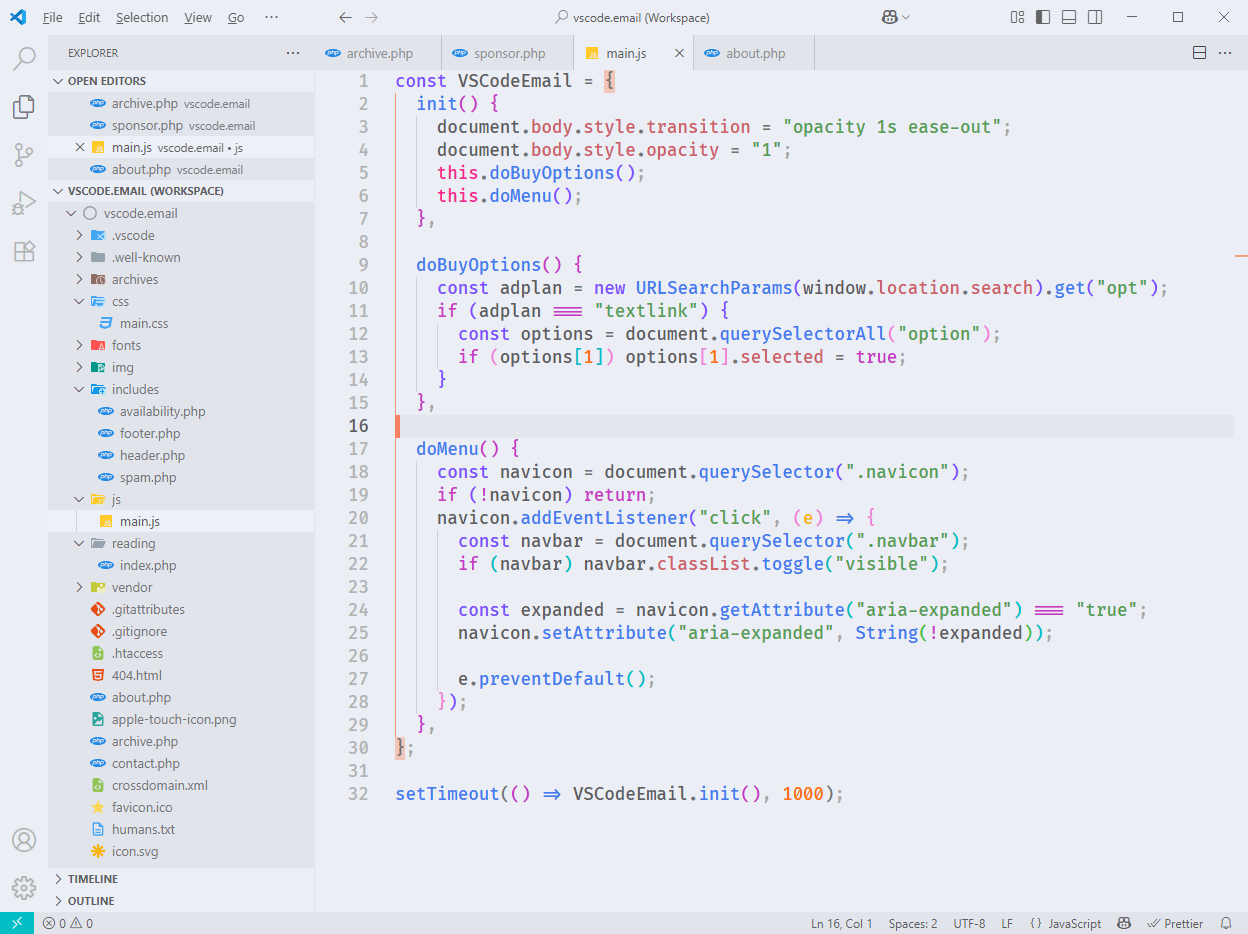
When I shared this, I showed the light version, which you can see above, so that seemed to resonate compared to other themes during the year. The variations for each theme are normal (shown above), bold, italic, and italic bold.
|
|
|
|
|
Top Articles/Videos of 2025 (#6 – #4)
|
|
|
|
|
Top Non-VS Code Links of 2025 (#8 – #5)
|
Model Context Protocol — A resource that provides an introduction to MCP, which became quite a buzzword this year. The site explains its benefits, and shows how to get started using the technology.
I Am Sorry, But Everyone is Getting Syntax Highlighting Wrong — The author makes a case that most syntax highlighters use too many colors, making it more difficult to understand code.
Brain Food, Delivered Daily — Every day the folks at Refind analyze thousands of articles and send you only the best, tailored to your interests. Loved by 550,000+ curious minds. Sponsor
Awesome Zed — A curated list of awesome things related to the Zed IDE, the popular, high-performance, multiplayer code editor from the creators of Atom and Tree-sitter.
Annotation Mono — A handwriting-style monospace font that's also a variable font and has letter forms inspired by monospace bitmap fonts so that legibility is maximized while retaining a hand-written character.
If you have any link suggestions, including a tool, article, or other resource related to VS Code or another IDE, you can hit reply, send it via DM on X, or via chat on Bluesky.
That's it for this issue.
Happy VS Coding!
Louis
VSCode.Email
@LouisLazaris
|
|
|