Issue #193 (Top VS Code Links of 2025 [Part 2])12/31/25
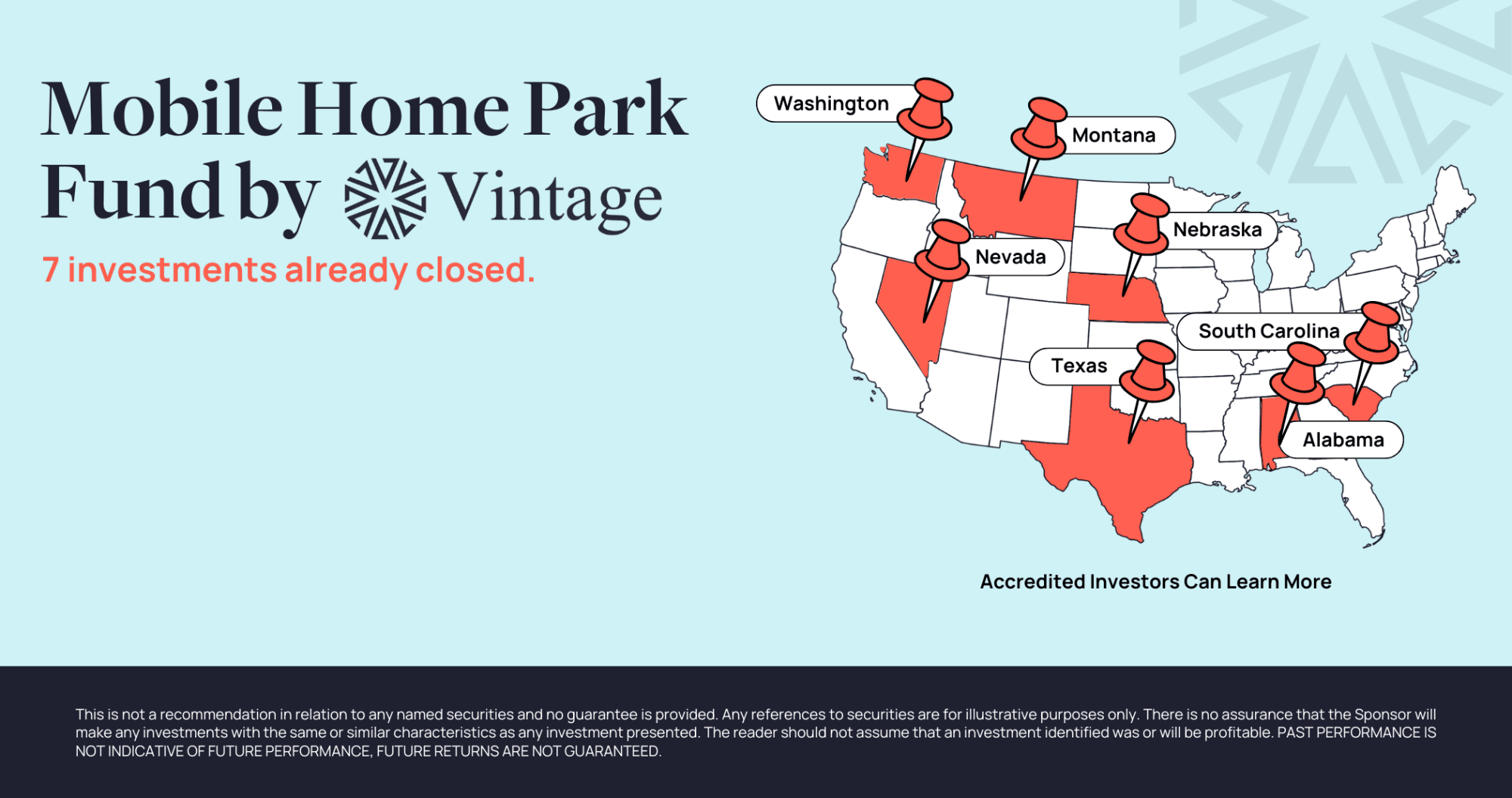
Invest in Recession-resilient Mobile Home Parks with Vintage Capital
Invest direct or in a fund of 20+ underlying assets. 1031s are also available. Access stable, income-generating properties with consistent demand and low tenant turnover.
Now is the time to act: Current market conditions are creating opportunities to acquire properties at attractive valuations.
Our fund targets a 15%-17% IRR and makes monthly distributions, which provides a steady income stream alongside strong upside potential and tax-efficient benefits.
|
- Recession-Resilient: Affordable housing demand drives stable returns in any economy
- High Tenant Retention: The average MHP tenant stays 10-12 years (compared to 2-3 in Multifamily)
- Proven Expertise: $100MM+ track record in mobile home park investments.
- Tax-Smart Investing: Bonus depreciation offers tax advantages.
|
|
This week's issue is part 2 of the most-clicked links in this newsletter for 2025. Last week was sort of like the 'runner up' issue, whereas this week is the absolute most clicked links.
As always, thanks for your support this year. And if you want to give something extra, feel free to use one of the following options:
I'll be back with intro tips in January, but feel free to browse the newsletter archives for previous content.
Now on to the top VS Code links of 2025!
|
|
|
Top VS Code Tools of 2025 (#4 – #1)
|
Online Card Generator — This was probably the most popular 'novelty' link of the year. It's not exactly a VS Code tool, but a tool that lets you generate a business card in the style of VS Code.
Piny — Another popular tool, this one is a visual editor for Astro, React, Next.js, and Tailwind that runs in your IDE, available for VS Code, Cursor, and Windsurf.
A New Place to Read Your Newsletters — We’re trying out a free app for reading newsletters called Khaki. The interface is clean, distraction-free, and only shows the newsletters I’m subscribed to, no noise of everything else in my usual inbox. Sponsor
Code Mind Map — This was the 2nd-most clicked tool of the year, and the 3rd-most clicked link overall. It's a VS Code extension to visualize and navigate your code as an interactive mind map, directly within your editor. Also available for Visual Studio.
dendron — And rounding out the tools of the year, this was the most-clicked tool and the most-clicked link overall if you exclude the YouTube video that's no longer up. It's a local-first, markdown-based, note-taking tool and personal knowledge management solution built specifically for developers and integrates natively with VS Code and VSCodium.
|
VS Code Theme of the Year (#1)
|
MindEase — The most-clicked theme of the year was this one. It's a small set of themes "meticulously designed with neurodesign principles to minimize cognitive load and eye strain." It has three themes and all have a nice color palette.
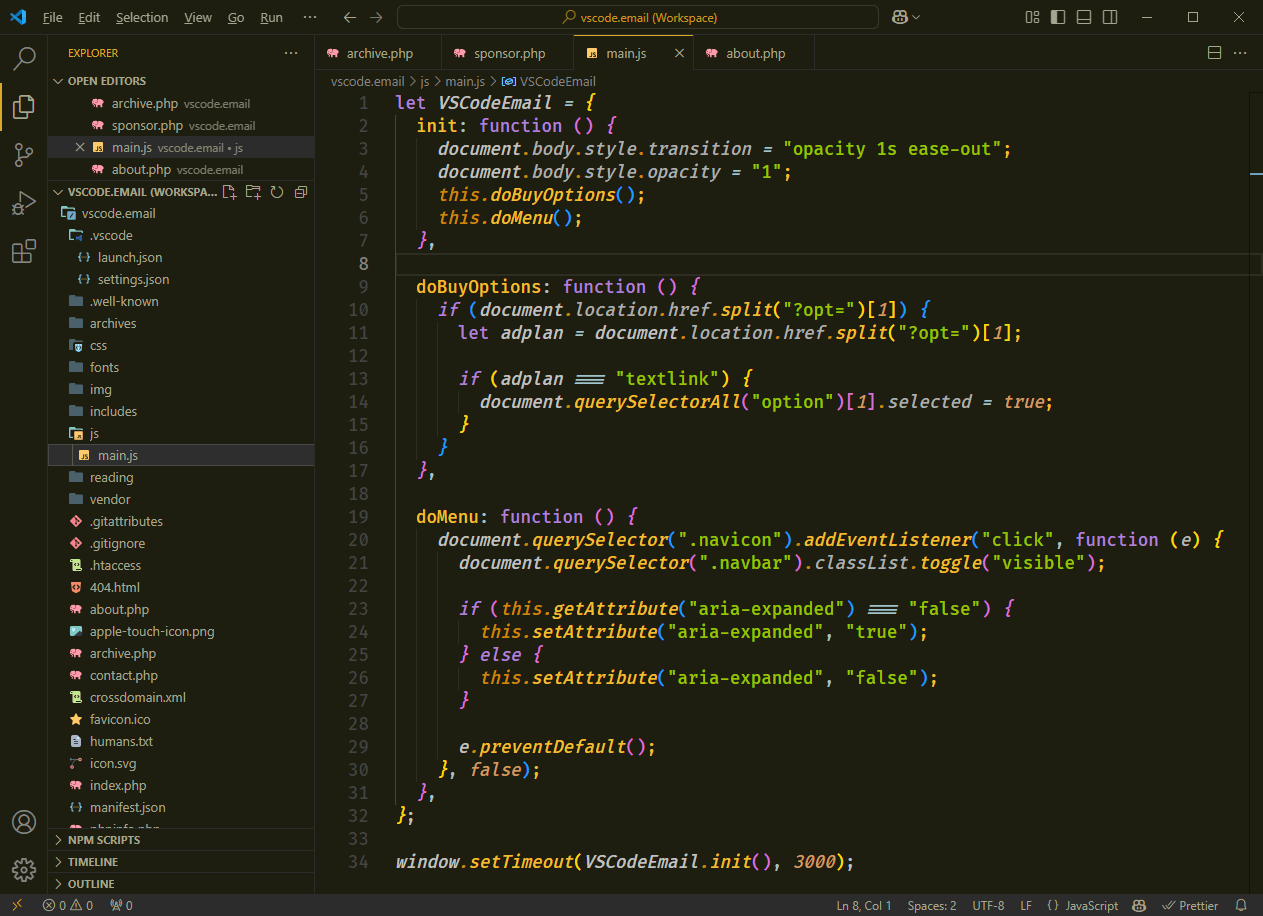
The one shown above is called "Night Owl: Wisdom in Darkness". There's also a high-contrast dark theme. The marketplace page also includes some useful information on why certain colors work for eye strain.
|
|
|
|
|
Top Articles/Videos of 2025 (#3 – #1)
|
📺 Maximum VS Code Productivity — Navigating Codebases Quickly – This was the most-clicked YouTube video of the year (of the ones still online!), from Wes Bos on the Syntax podcast YouTube channel. He shares 15+ tips on navigating in VS Code, many of which will be new to even experienced VS Code users.
How I Configure VS Code for Agentic Coding — The 2nd-most clicked VS Code article of the year is this one, covering the agentic coding tool Amp, which I've featured in this newsletter before. The author describes how he uses the extension for larger, more complex features and tasks.
Tech Newsletters You'll Love — If you want the latest news and tools on programming, Web3, AI, team leads, automation, and more, you might want to check out some of these free newsletters. Sponsor
How to Add and Use Deepseek-r1 in Your Visual Studio Code (For Free!) — And the most-clicked article of the year was this one, explaining how to use Deepseek in VS Code. Includes some detailed instructions but, as the comments point out, there are some things to keep in mind about the version of Deepseek assumed here.
|
|
|
Top Non-VS Code Links of 2025 (#4 – #1)
|
Kompad — A popular non-VS Code link, this is a beautiful, customizable note-taking app that allows you to create, edit, and synchronize your technical documents.
Myna — Another top link, this is a monospace font that aims to bring harmony to your editor by treating symbols as first-class glyphs alongside alphanumeric characters.
📺 Model Context Protocol (MCP), Clearly Explained (Why it Matters) — I shared this video in the intro of one of the issues this year, as a rare (but timely) non-VS Code link. If you need a not-too-lengthy primer on MCP, particularly if you've tried (but failed) to understand it, this might help.
Brain Food, Delivered Daily — Every day the folks at Refind analyze thousands of articles and send you only the best, tailored to your interests. Loved by 550,000+ curious minds. Sponsor
Google Sans Code — The most popular non-VS Code link that I shared in 2025 was this fixed-width font family, from the Google Fonts team, designed to bring clarity, readability, and a bit of Google's distinctive brand character to code.
If you have any link suggestions, including a tool, article, or other resource related to VS Code or another IDE, you can hit reply, send it via DM on X, or via chat on Bluesky.
That's it for this issue.
Happy VS Coding!
Louis
VSCode.Email
@LouisLazaris
|
|
|