Issue #194 (How To Disable AI Features)01/07/26
The Best New App for Newsletter Reading
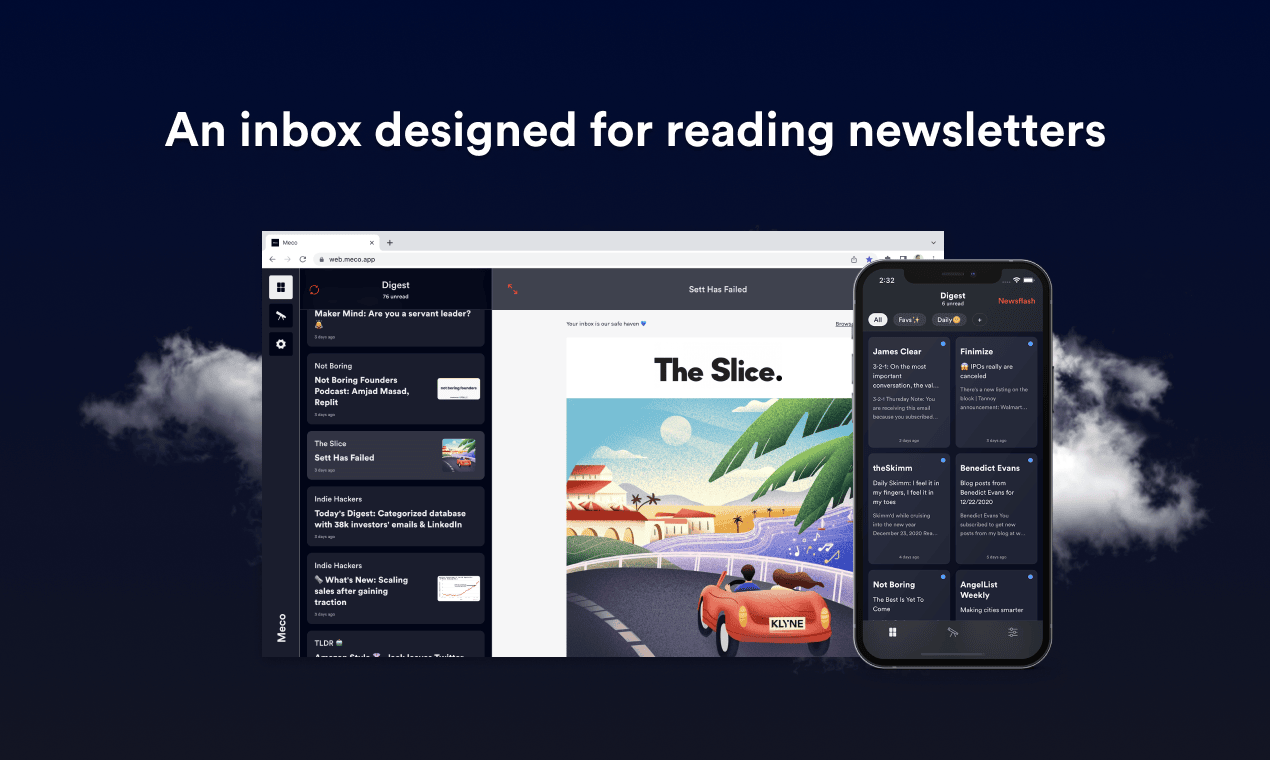
Reading newsletters in the inbox is frustrating – it's noisy and easy to lose control of subscriptions. Now with Meco, you can enjoy your newsletters in an app built for reading, while giving your inbox space to breathe.
|
Here are some of the highlights of using Meco:
- Meco connects to Gmail & Outlook, allowing you to instantly move your newsletters to the app (and clear your inbox)
- The experience is packed with features to supercharge your reading including the ability to group newsletters, set smart filters, bookmark your favorites and read in a scrollable feed
- You can try the experience for free and available on iOS, Android, and web (desktop)
Over 30k readers are enjoying their newsletters (and decluttering their inbox) with Meco.
|
|
In the articles section below, I link to a popular article that was posted by a developer who is frustrated by the amount of AI features that are constantly added to VS Code nowadays. Many of you are probably fine with these new additions, but if you're like the author, you might prefer to do your AI outside of VS Code and not have the constant nagging of AI-related features.
In the Hacker News thread for that article, Ben Pasero, who works on the VS Code team, pointed out that there is a way to opt out of the AI features provided in VS Code using a single setting. This feature was added in August of 2025.
In your settings, search for "chat.disableAIFeatures":
As the setting description explains, this will disable any built-in AI features related to GitHub Copilot, including chat and inline features. You'll notice the Copilot icon will disappear when you check the box to enable the setting.
In the thread, some are claiming the AI features should be 'opt-in' rather than 'opt-out'. But, as someone points out, what if a user starts learning VS Code and is wondering where all the AI features are. So there are pros and cons to each side.
As Ben points out in his comment, there is a possibility that in the future this setting won't respect certain new AI features. In that case, users could open up an issue and the problem will be corrected as soon as possible.
Now on to this week's hand-picked links!
|
|
|
VS Code Tools
|
Music Time for Spotify — A VS Code extension that discovers the most productive music to listen to as you code. As the reviews point out, it does seem to be a bit buggy, but the authors are somewhat active in responding if you file an issue.
vscode-extension-react-boilerplate — A production-ready boilerplate for creating VS Code extensions with React webviews, following SuperDesign's architecture patterns.
Meco: Enjoy Newsletters in a Space Designed for Reading — Meco is a distraction-free space for reading and discovering newsletters, separate from the inbox. Add your newsletters in seconds and liberate your inbox today! Sponsor
Knip for VS Code — A VS Code extension for Knip, a tool that helps you find and fix unused dependencies, exports, and files in your JavaScript and TypeScript projects. See articles section below for more info.
|
VS Code Theme of the Week
|
Lesser — A simple dark theme with purple accents. This is a single theme that looks good with a lot of different languages. I tried it with JS, HTML, CSS, and all look great.
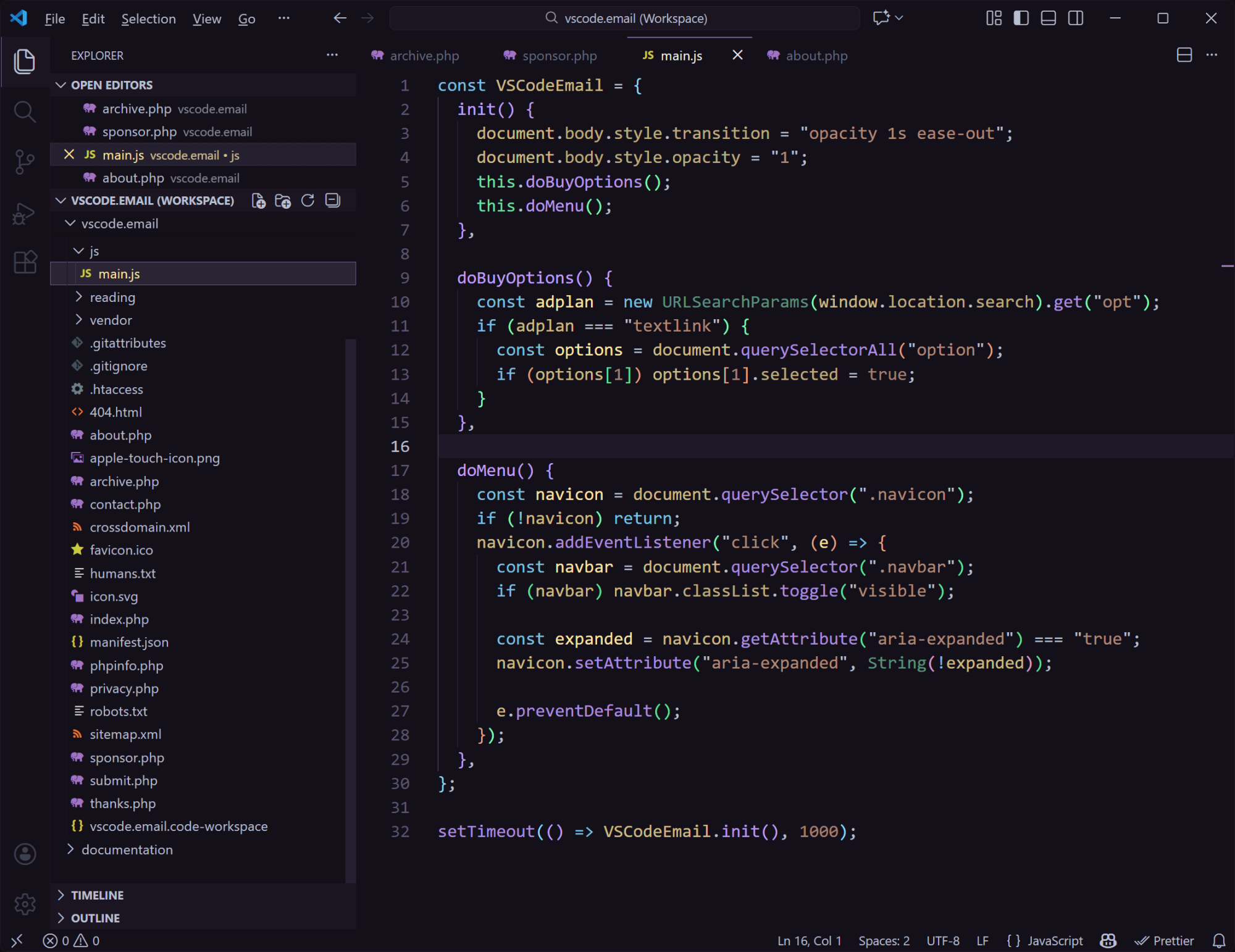
I like the use of purple but I also appreciate that the purple isn't too overwhelming like in other purple-based themes. It also doesn't have any questionable UI color choices, so it's a pretty solid theme overall. If you want to try it out without installing, they have a live preview here with multiple languages.
|
|
|
|
|
VS Code Articles & Videos
|
I Switched From VS Code to Zed — One developer's frustration with all the new AI features that have been added to VS Code, which has led him to look at other options.
Knip for Editors & Agents — Intro post for the Knip VS Code extension and MCP server, with some info and screenshots to show you how it works.
Tech Newsletters You'll Love — If you want the latest news and tools on programming, Web3, AI, team leads, automation, and more, you might want to check out some of these free newsletters. Sponsor
Why is Pasting Into VS Code Terminal Slow? — X post from Bun founder Jarred Sumner on why pasting into the terminal gets slower as the paste size increases. Many aren't happy about this but, as one of the VS Code devs points out in the thread, this is a more nuanced issue that what it seems.
|
|
|
Best of the Rest
|
A Visual Editor for the Cursor Browser — Blog post from the Cursor team announcing a visual editor for the Cursor Browser, bringing together your web app, codebase, and powerful visual editing tools all in the same window.
SharpIDE — A modern, cross platform, and open source IDE for .NET and Godot, currently in early development and looking for feedback.
Brain Food, Delivered Daily — Every day the folks at Refind analyze thousands of articles and send you only the best, tailored to your interests. Loved by 550,000+ curious minds. Sponsor
Fresh — A terminal text editor that's easy to use and is built for discovery, offering IDE-like features including standard keybindings, menu bar, command palette, built-in file explorer, and more.
If you have any link suggestions, including a tool, article, or other resource related to VS Code or another IDE, you can hit reply, send it via DM on X, or via chat on Bluesky.
That's it for this issue.
Happy VS Coding!
Louis
VSCode.Email
@LouisLazaris
|
|
|