Issue #195 (A Checklist for Using Copilot)01/14/26
How the Rich Pick Stocks
If you’ve ever stared at your screen wondering where the real opportunities are hiding, this class is your shortcut.
In this free live session, you’ll see how modern A.I. cuts through the noise and zeroes in on the sectors, stocks, and setups that actually matter right now. No guessing. No chasing. Just clear direction based on intermarket signals that most traders never even realize are moving their trades.
|
If the markets feel chaotic, this is where you regain control.
Discover how pros find trades in minutes instead of hours, and give yourself the edge you’ve been missing.
|
|
As expected, the VS Code docs now include extensive information on using GitHub Copilot in VS Code. That section will continue to grow and improve I'm sure, so you can check that out once in a while, or even ask your favourite AI tool to help you out using those docs as a reference.
One useful section is the one called Tips and Tricks for Copilot in VS Code. In there you'll find a 'checklist' for using Copilot, which has handy info and charts on the following subjects:
- Choosing the right Copilot tool (e.g., inline vs. chat)
- Personalizing Copilot
- Prompt Engineering
- Indexing Your Codebase
- Choosing Your AI Model (e.g., for fast coding vs. planning)
- Creating Reusable Prompts
As you can tell, there's lots of good info there, even introducing concepts and features you may not have already been familiar with. So be sure to check out those docs if you really want to delve into using Copilot to the fullest.
Now on to this week's hand-picked links!
|
|
|
VS Code Tools
|
VSCodeRank — A platform that provides daily ranking tracking, competitor monitoring, and instant alerts for VS Code extension developers, to fill a gap in knowledge of the VS Code Marketplace.
Rifler — A fast file search extension for VS Code that enables you to 'rifle' through your codebase with dynamic search, regex support, file masking, and full file preview with inline editing.
Meco: Enjoy Newsletters in a Space Designed for Reading — Meco is a distraction-free space for reading and discovering newsletters, separate from the inbox. Add your newsletters in seconds and liberate your inbox today! Sponsor
GenAIScript — A VS Code extension that provides a generative AI scripting environment with convenient tooling for file ingestion, prompt development, and structured data extraction.
|
VS Code Theme of the Week
|
NERV — A dark theme inspired by 80s/90s cyberpunk interfaces and green-tinted cinematography by Hong Kong film director Wong Kar-wai.
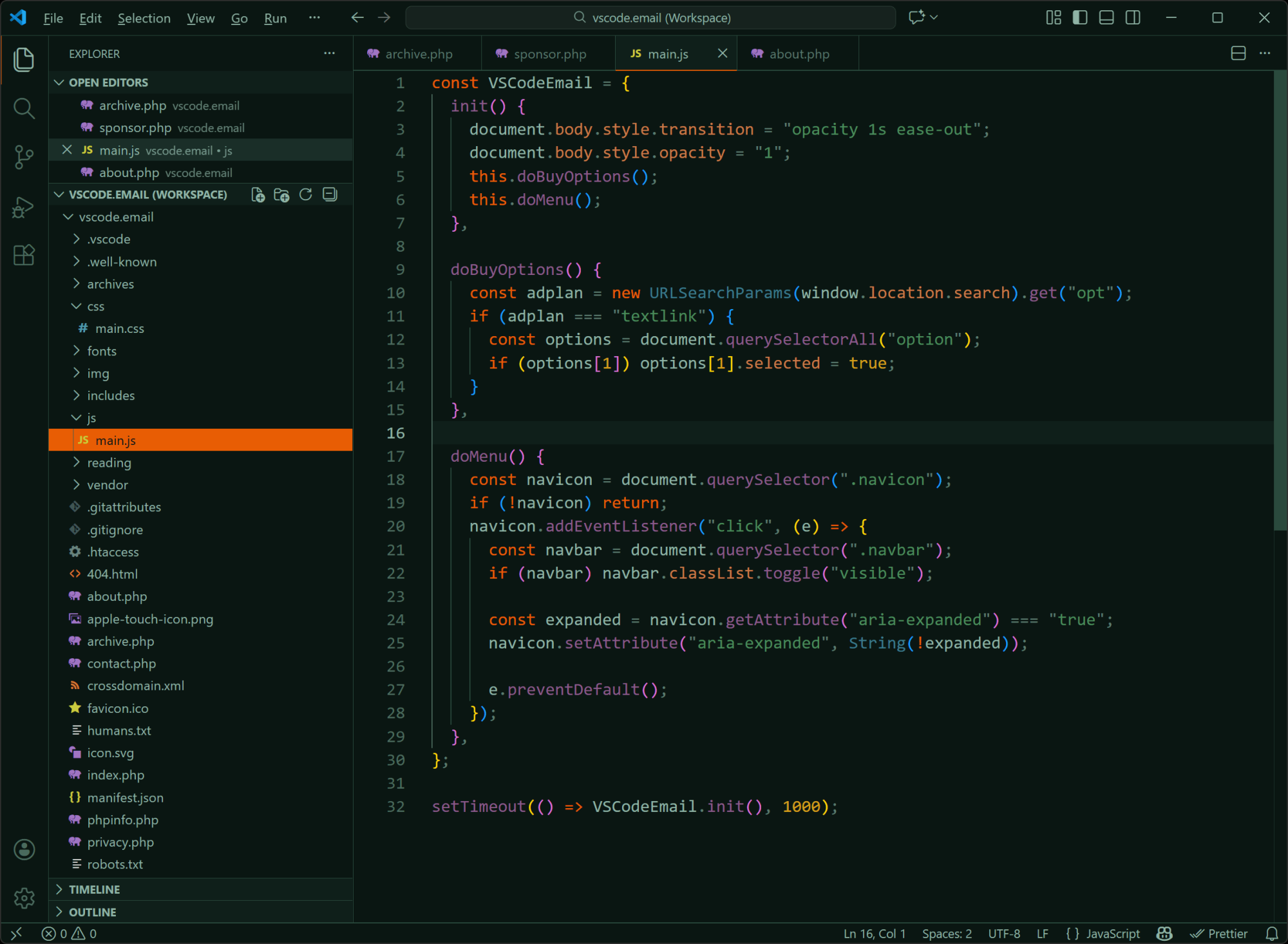
Not a theme for everyone, but if you like something overly dark and in this type of niche, it might be a novelty theme you can consider using.
|
|
|
|
|
VS Code Articles & Videos
|
VS Code 1.108 (December 2025 Updates) — In the latest update, the team announces a cleanup of more than 6,000 GitHub issues along with new features like Agent Skills, AI Chat improvements, new snippet transformations, terminal improvements, and lots more.
Why Do Sublime Text and VS Code Use CTRL-SHIFT-P Instead of CTRL-K for the Command Bar? — A bit of a history lesson on the implementation of the popular 'command palette' in various apps over the years, which the author also added to in this Hacker News thread.
Techpresso — A free daily email with the most interesting tech news and insights, read by 500,000+ professionals from Google, Apple, OpenAI, and more. It's the best way to stay ahead in just a few minutes. Sponsor
My Minimalist AI Development Setup — This is one developer's brief outline of switching from Cursor back to VS Code for AI-powered development, due to too many challenges and annoyances dealing with Cursor.
|
|
|
Best of the Rest
|
Athas — A lightweight code editor (possibly a VS Code fork?) with Vim mode, Git integration, agentic AI editing, language server support, and more.
Online Retro IDE — An online C, BASIC, and Assembler IDE for vintage computers and consoles, with support for Atari, Sega, NES, C64, VIC-20, among others.
Brain Food, Delivered Daily — Every day the folks at Refind analyze thousands of articles and send you only the best, tailored to your interests. Loved by 550,000+ curious minds. Sponsor
📺 Zed the IDE (Yes, I Tried Cursor & Antigravity) — One developer's first impressions of Zed after a spending a few years using Emacs and a short stint with Cursor.
If you have any link suggestions, including a tool, article, or other resource related to VS Code or another IDE, you can hit reply, send it via DM on X, or via chat on Bluesky.
That's it for this issue.
Happy VS Coding!
Louis
VSCode.Email
@LouisLazaris
|
|
|