Issue #198 (AI Search Results in Settings)02/04/26
You Can't Automate Good Judgement
AI promises speed and efficiency, but it’s leaving many leaders feeling more overwhelmed than ever.
The real problem isn’t technology. It’s the pressure to do more with less — without losing what makes your leadership effective.
|
BELAY created the free resource 5 Traits AI Can’t Replace & Why They Matter More Than Ever to help leaders pinpoint where AI can help and where human judgment is still essential.
At BELAY, we help leaders accomplish more by matching them with top-tier, U.S.-based Executive Assistants who bring the discernment, foresight, and relational intelligence that AI can’t replicate.
That way, you can focus on vision. Not systems.
|
|
Now that VS Code has become much more AI-ready, you may have noticed that AI is even integrated with your search experience in your settings.
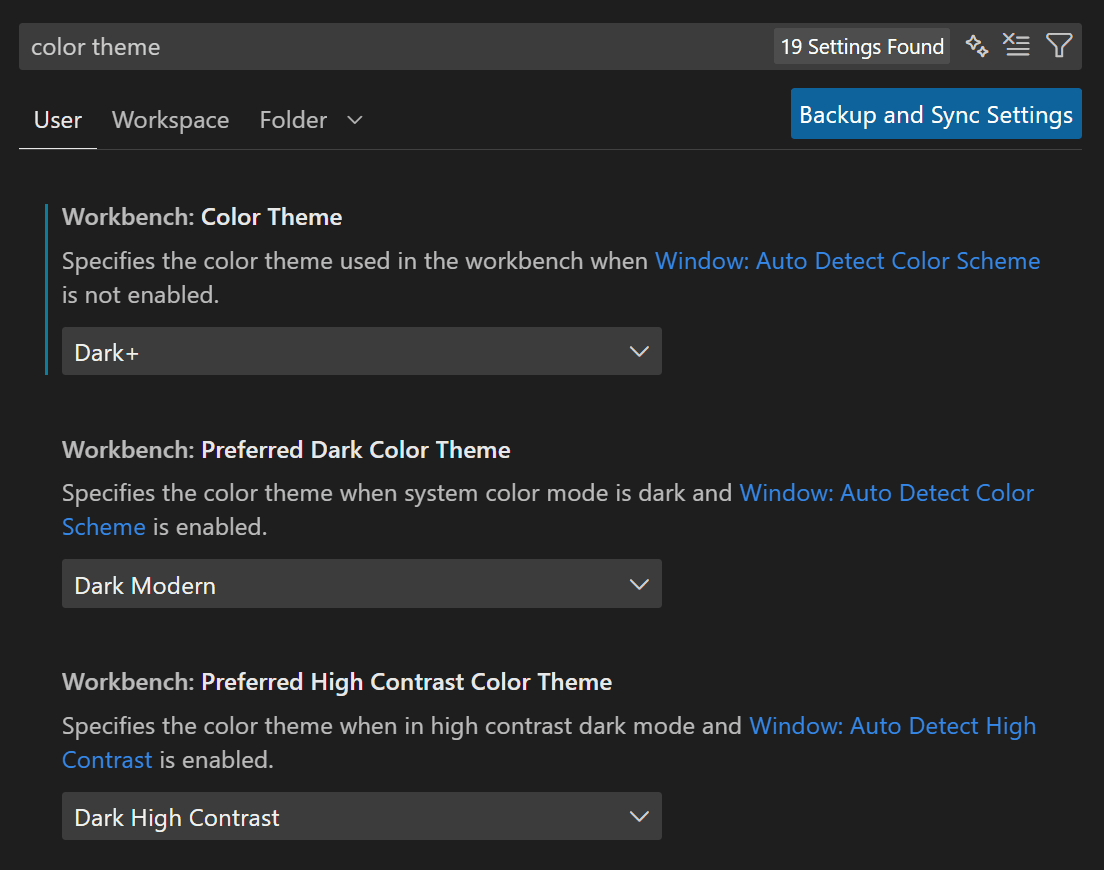
For example, normally you might do a simple keyword search to find a setting in VS Code's Settings UI. This is usually pretty reliable, as shown with a simple example below.
In this case, I'm searching for "color theme" related settings and VS Code shows me 19 results, including some fuzzy search results.
But notice to the right of the 'settings found' indicator there's a little note that there are "AI Results Available". Next to that is the button that enables AI search results as an alternative.
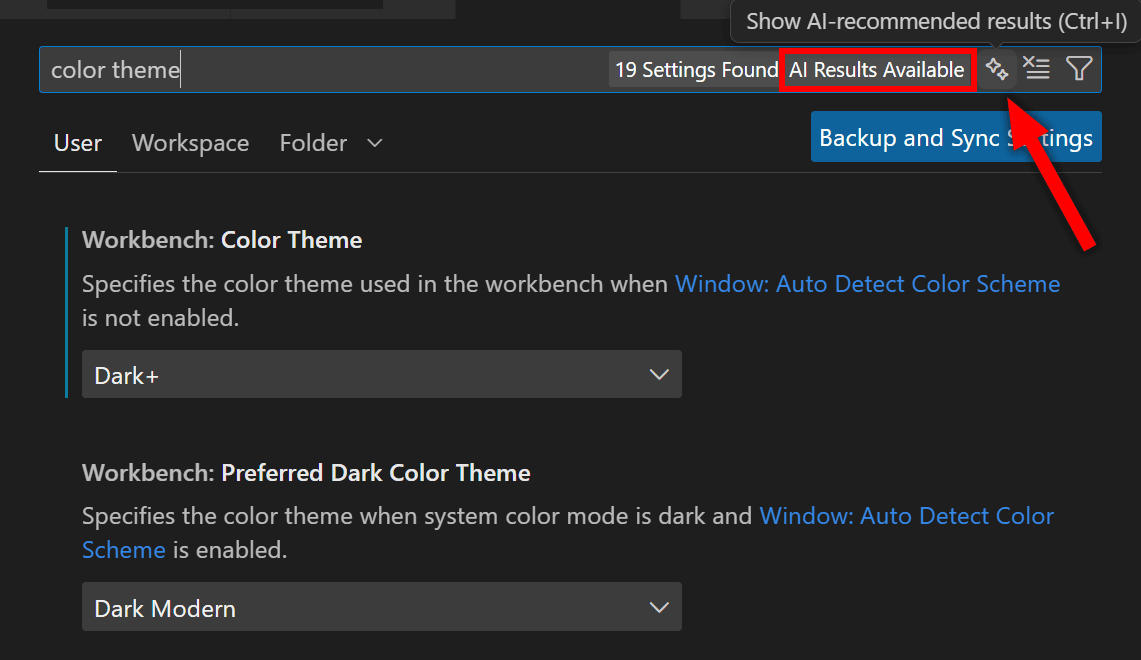
In this example search, the AI results returned 10 settings instead of 19. This feature is likely going to be more useful in cases where you can't remember the exact name of a setting. In that case, you could even type your search in the form of a question.
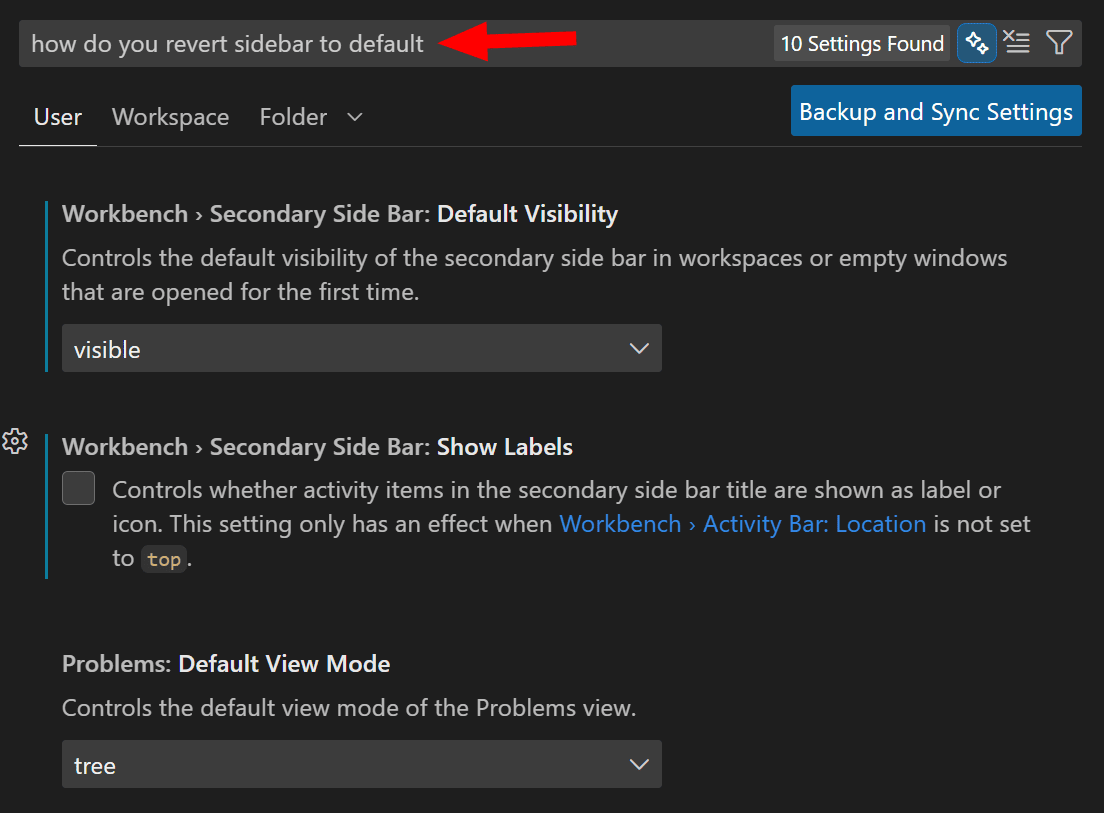
If you don't want to see the AI search results option, you can disable the button and associated message by unchecking "Show AI Search Toggle" in your settings.
Now on to this week's hand-picked links!
|
|
|
VS Code Tools
|
Keybinding Conflict Scanner — A VS Code extension that automatically detects keybinding (i.e. keyboard shortcut) conflicts when you install new VS Code extensions and helps you resolve them in seconds.
CodeMic — A VS Code extension that enables developers to create interactive, guided tours within codebases, recording and replaying code changes, including edits, selections, and scrolls, synchronized with optional audio and video narration.
Web Tools Weekly — A weekly newsletter featuring tools for front-end and full-stack web developers, covering JavaScript, CSS, React, AI, SVG, Node.js, Vue, and lots more. Sponsor
devchat IM — A VS Code extension that adds instant messaging to your editor, allowing you to message others (who you find by user name) only when you're both online and all messages are stored locally for one day. It even has themes mimicking AIM, Bloomberg, and iMessage.
|
VS Code Theme of the Week
|
Vishwakarma — This set of themes includes two light and two dark themes, with some distinct differences that you might like to try out. Below is the "Midnight Dark" version, which is a vivid, high-contrast theme with some nice accents and color choices in the UI.
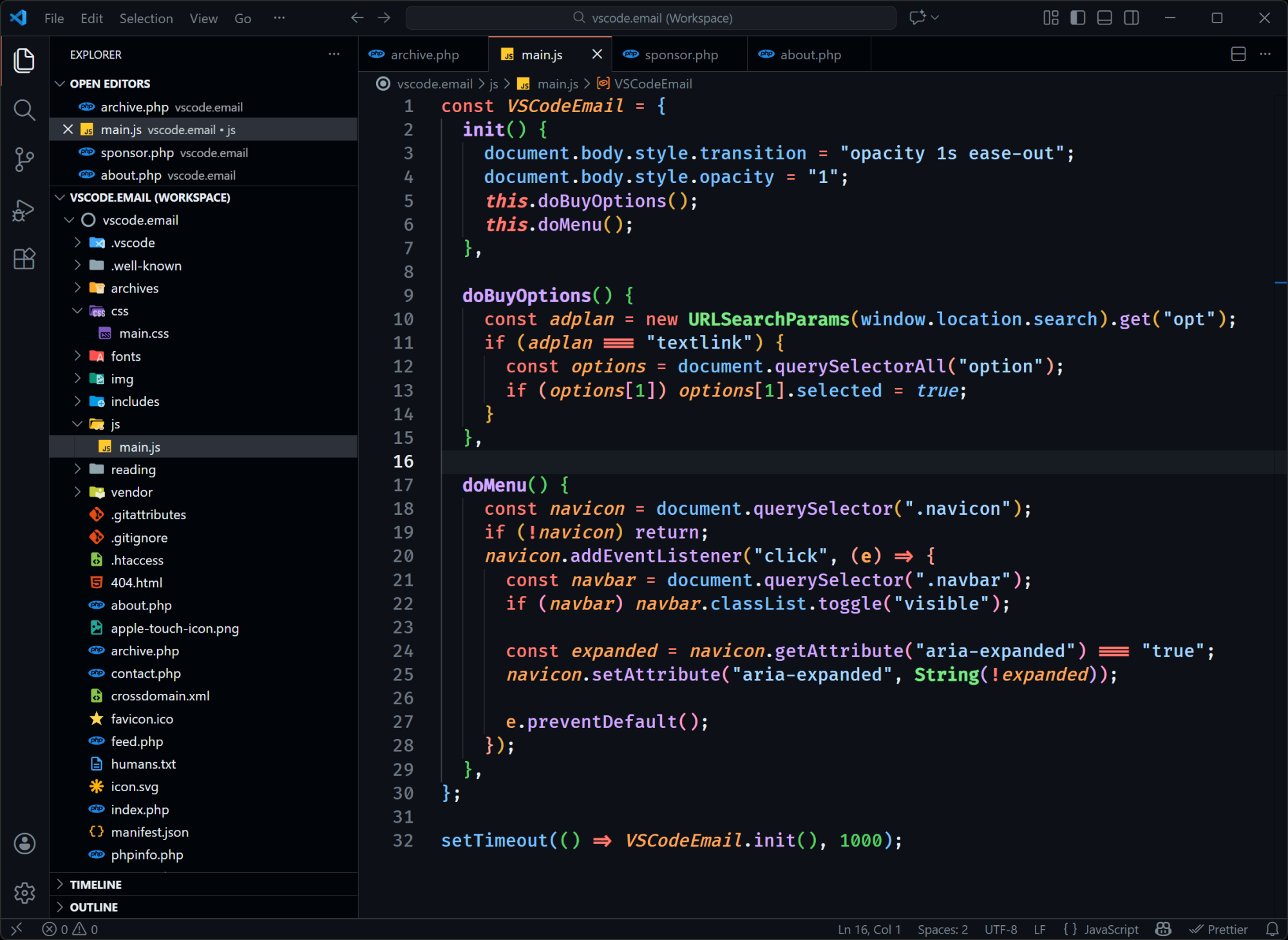
The two light themes are also good and differ in tone from each other. The other dark theme is called "Ocean Breeze" and it's basically a more washed-out version of the primary dark theme.
|
|
|
|
|
VS Code Articles & Videos
|
|
|
|
|
Best of the Rest
|
copilot-sdk — A multi-platform SDK for integrating GitHub Copilot Agent into apps and services, now available in technical preview as a programmable SDK for Python, TypeScript, Go, and .NET.
adk-go — An open-source, code-first Go toolkit for building, evaluating, and deploying sophisticated AI agents with flexibility and control.
Brain Food, Delivered Daily — Every day the folks at Refind analyze thousands of articles and send you only the best, tailored to your interests. Loved by 550,000+ curious minds. Sponsor
State of AI 2025 — The first of an annual survey created to identify upcoming trends in AI use for web development, to help developers make better tech choices.
If you have any link suggestions, including a tool, article, or other resource related to VS Code or another IDE, you can hit reply, send it via DM on X, or via chat on Bluesky.
That's it for this issue.
Happy VS Coding!
Louis
VSCode.Email
@LouisLazaris
|
|
|