Issue #199 (Building a VS Code Theme)02/11/26
The Best New App for Newsletter Reading
Reading newsletters in the inbox is frustrating – it's noisy and easy to lose control of subscriptions. Now with Meco, you can enjoy your newsletters in an app built for reading, while giving your inbox space to breathe.
|
Here are some of the highlights of using Meco:
- Meco connects to Gmail & Outlook, allowing you to instantly move your newsletters to the app (and clear your inbox)
- The experience is packed with features to supercharge your reading including the ability to group newsletters, set smart filters, bookmark your favorites and read in a scrollable feed
- You can try the experience for free and available on iOS, Android, and web (desktop)
Over 30k readers are enjoying their newsletters (and decluttering their inbox) with Meco.
|
|
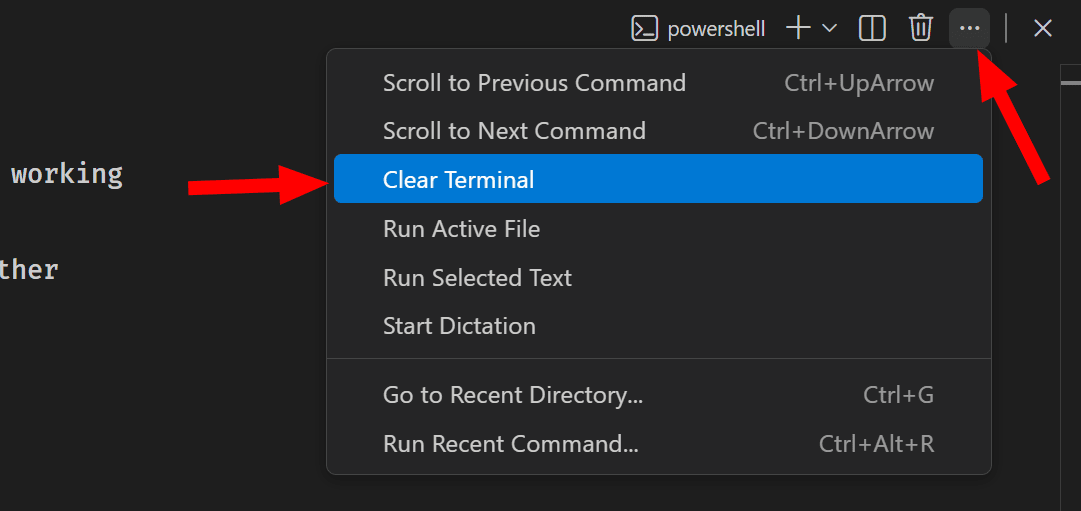
If you use the terminal a lot in VS Code, you likely know that there's a "Clear Terminal" command that's accessible via the "Views and More Actions..." menu, usually located at the top-right of the terminal session. It's also accessible via the Command Palette.
That can certainly help if your terminal has become cluttered and you just want to clean it up and start fresh. Note that this isn't the same as the little trash can icon, which is the "Kill Terminal" button. The "Kill Terminal" button will of course kill the current terminal session and close the terminal.
But, as noted in the image below, there are two other handy options that you might want to use from time to time: Scroll to Previous Command and Scroll to Next Command. These also have keyboard shortcut equivalents and are accessible via the command palette.
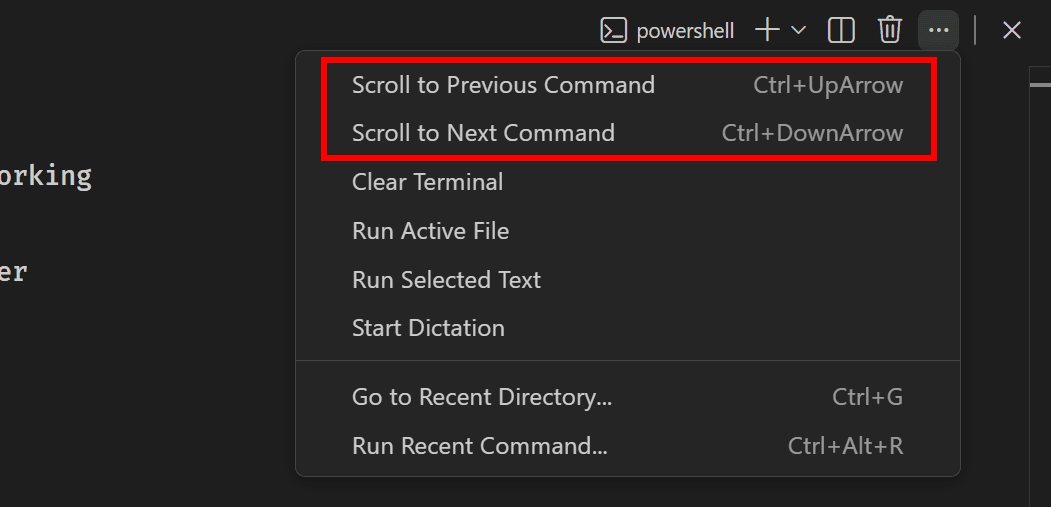
These will scroll up or down one command in your terminal session, allowing you to view a previous command and its output from the beginning (maybe to copy and paste the output, or just assess it).
I should point out that on my system, there seems to be a bug (or maybe they're designed this way?), as the commands don't work the same way when you trigger them via the menu or the Command Palette. For some reason, with those triggers, the commands are relative to your scroll position but they won't continue to navigate through the terminal session.
If you want to use these commands most effectively, it's best to use their keyboard shortcut equivalents instead ( CTRL + UpArrow and CTRL + DownArrow), as I'm doing in the GIF below.
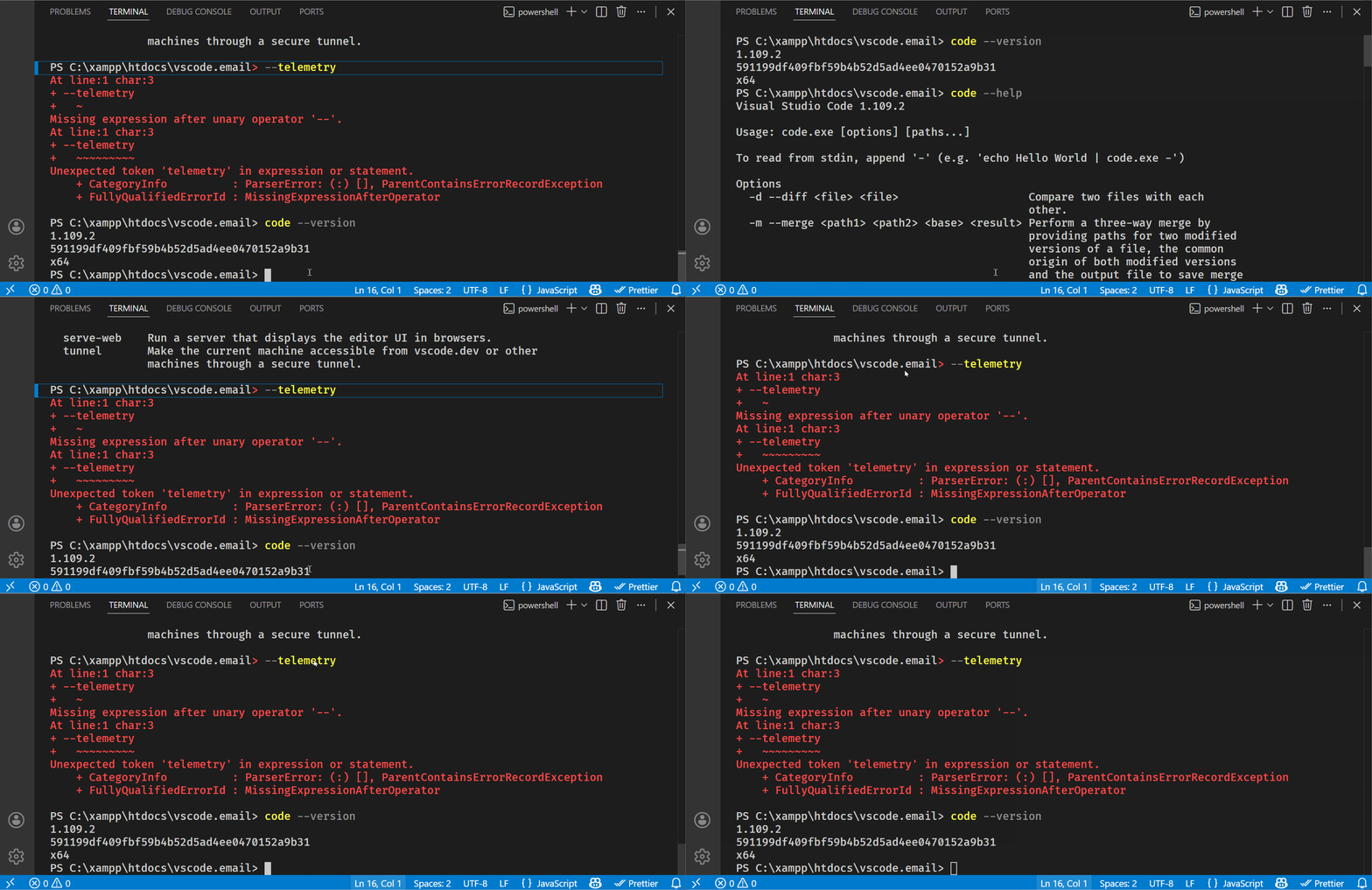
As shown above, you'll know when you've "scrolled" to a command when you see the little blue highlight in the gutter of that command (or possibly another color or indicator, depending on your theme).
Now on to this week's hand-picked links!
|
|
|
VS Code Tools
|
Pinacle — A tool that runs your dev environment in isolated VMs (pods) that stay online 24/7, with features like AI coding assistants, VS Code Server, persistent storage, and root access.
React Compiler Marker — A VS Code extension that highlights components optimized by the React Compiler, providing visual cues to make the optimization process more transparent during development.
Web Tools Weekly — A weekly newsletter featuring tools for front-end and full-stack web developers, covering JavaScript, CSS, React, AI, SVG, Node.js, Vue, and lots more. Sponsor
Qodana — A VS Code extension that integrates linter execution results from Qodana Cloud (a code quality platform by JetBrains) into VS Code.
|
VS Code Theme of the Week
|
Twilight Cosmos — This is a dark theme that's featured in the articles section below where the author demonstrates how he created a VS Code theme step by step for the first time.
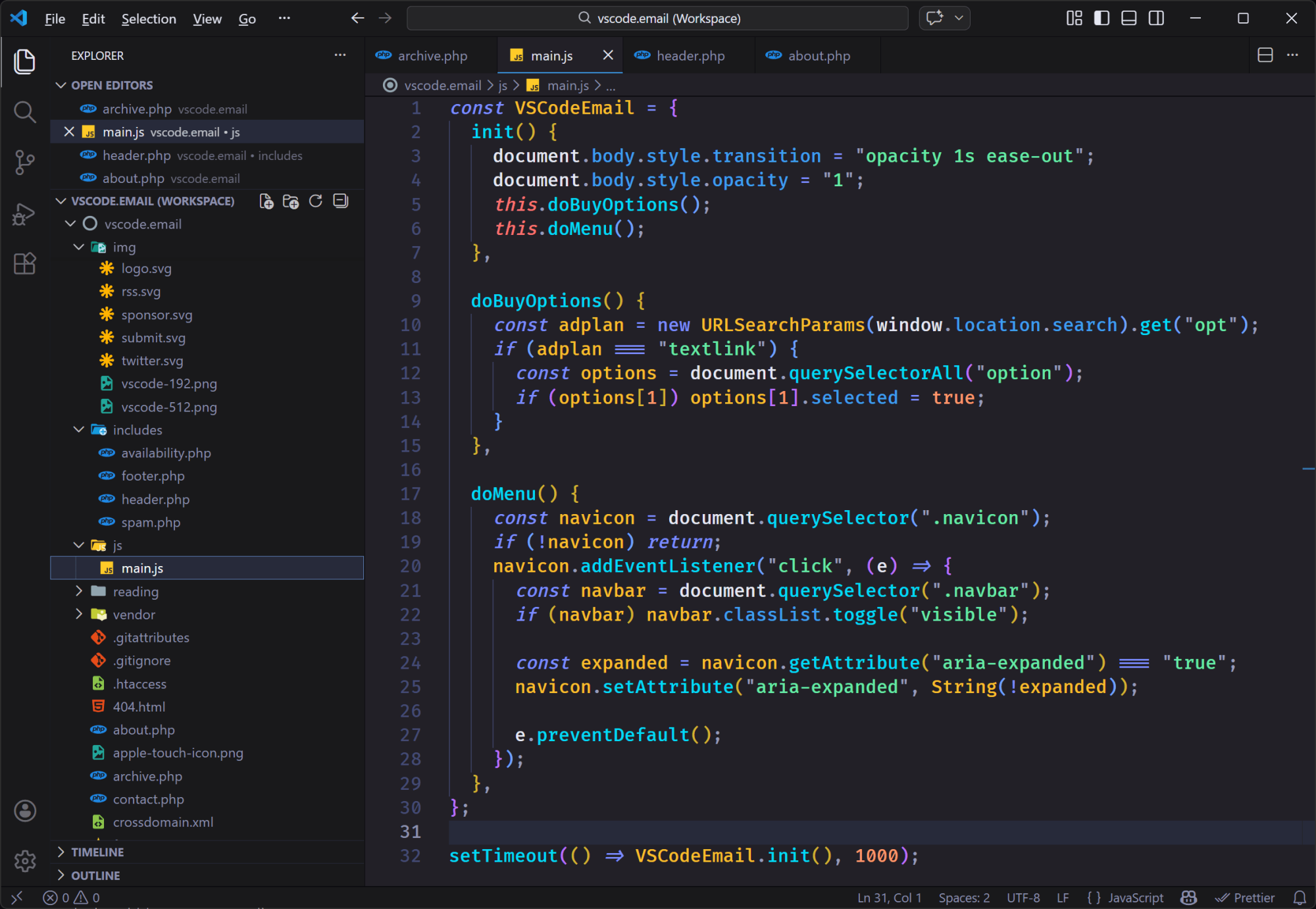
I wouldn't say it's my favourite dark theme, but it has a nice high-contrast set of colors that you might want to try out. All the syntax highlighting choices are good and there aren't any major changes to the overall UI.
|
|
|
|
|
VS Code Articles & Videos
|
VS Code 1.109 (January 2026 Updates) — The latest updates to VS Code include numerous multi-agent development improvements, a new integrated browser for testing, a restore editor workspace setting, and more.
No-Hassle Visual Studio Code Theming: Building an Extension — If you've ever wanted to delve into theme extension creation in VS Code, this is a great walk-through of one developer's foray into it. The theme created is the one featured above in the theme of the week.
Techpresso — A free daily email with the most interesting tech news and insights, read by 500,000+ professionals from Google, Apple, OpenAI, and more. It's the best way to stay ahead in just a few minutes. Sponsor
New DPRK Malware Uses Microsoft VS Code Dictionary Files — "North Korean threat actors are hiding multi-stage malware droppers in VSCode configuration files, disguised as spell-check dictionaries, to compromise developers through fake job interviews and establish persistent backdoors with remote code execution capabilities."
|
|
|
Best of the Rest
|
Sidian — An AI-powered code editor that includes intelligent assistance, context aware suggestions, MCP support, and understands your entire codebase, architecture, and team standards.
Mermaid Editor — A fast, browser-based editor for creating and exporting Mermaid diagrams, built with Vite, Tailwind, and Mermaid.js.
Brain Food, Delivered Daily — Every day the folks at Refind analyze thousands of articles and send you only the best, tailored to your interests. Loved by 550,000+ curious minds. Sponsor
Layrr — A universal visual editor for Mac that works like Elementor or Framer but on any website, enabling you to select, drag, resize, and edit UI elements visually or with natural language instructions.
If you have any link suggestions, including a tool, article, or other resource related to VS Code or another IDE, you can hit reply, send it via DM on X, or via chat on Bluesky.
That's it for this issue.
Happy VS Coding!
Louis
VSCode.Email
@LouisLazaris
|
|
|