Issue #202 (Diff Decorations in the Editor)03/04/26
|
|
What makes it worth trying:
- Integrates with Copilot, Claude, and Cursor for fix suggestions
- Scans rendered components via MCP
- Blocks inaccessible code at the pre-commit level
Works across VS Code, JetBrains, Cursor, and more. Currently free.
|
|
Not too long ago, VS Code added the ability to differentiate quick diff decorations for staged changes, which they described as a 'long time feature request'. The purpose of this feature is to allow you to view your 'staged' changes directly from your editor without having to open the Source Control view from your sidebar.
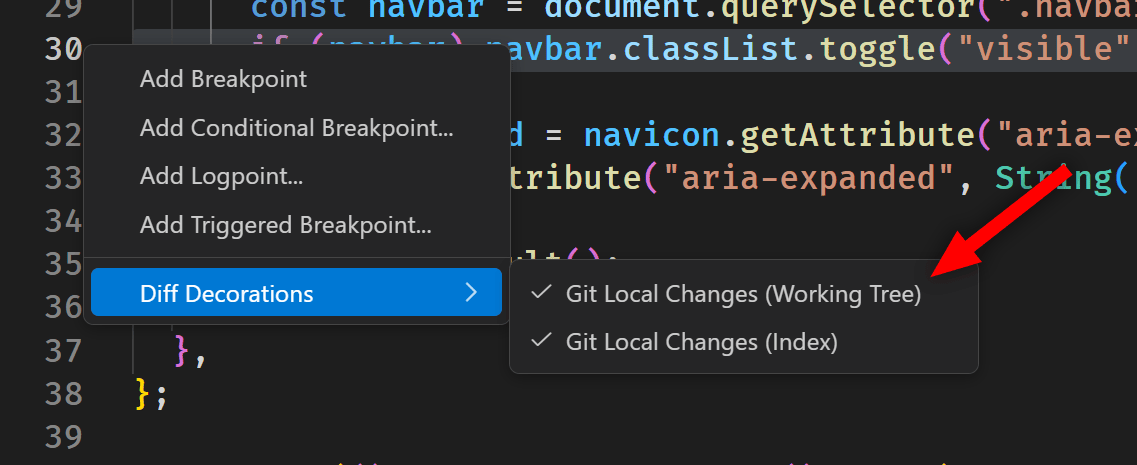
If you're in a source control-enabled project, you'll see the Diff Decorations option when you right-click the gutter next to the code in your sidebar.
This allows you to enable two types of Diff Decorations right in your editor, so you can see what changes have been staged and potentially which ones have simply been modified but not yet staged.
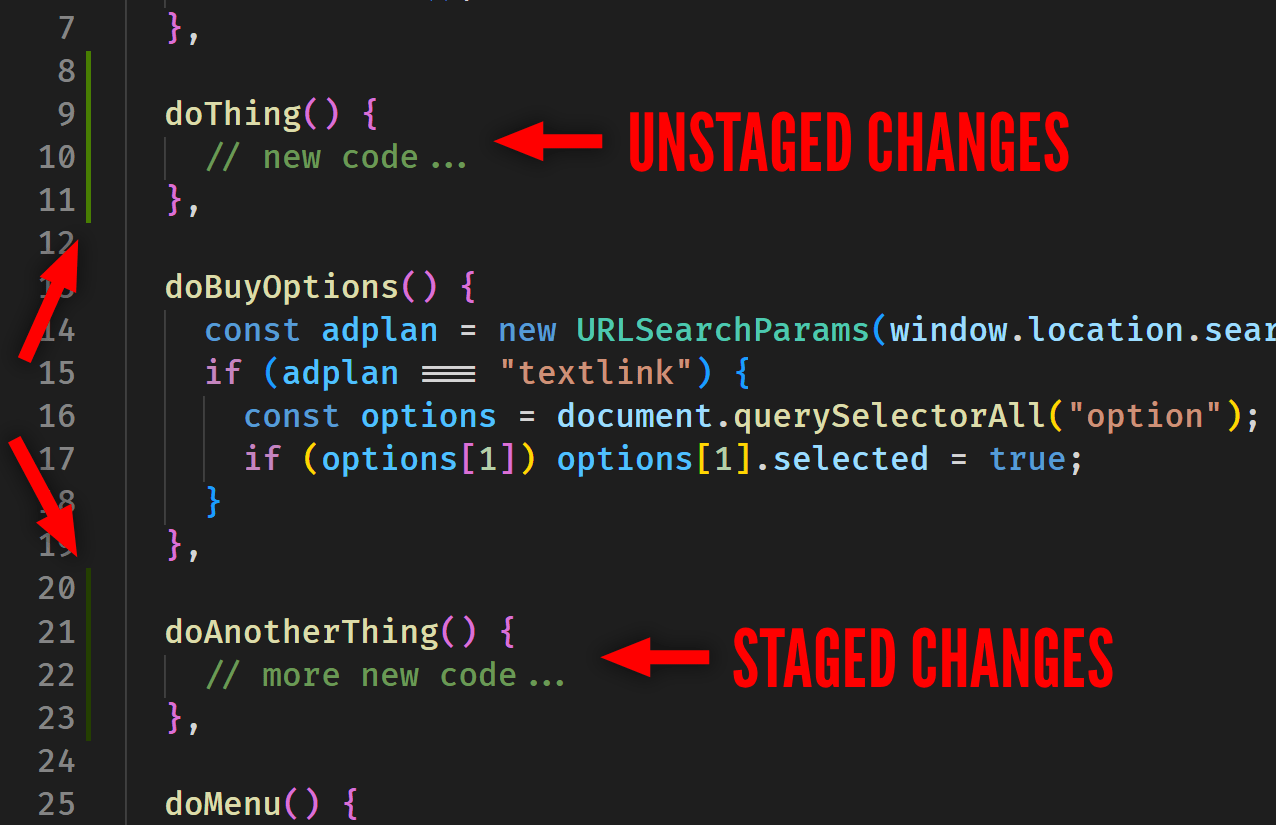
In the example below, I've made two changes to the code but only one of the code snippets is 'staged' and ready to commit. The two types of changes are differentiated using two shades of green.
 |
So if I want I can right-click and disable or enable one of those diff decorations, assuming I only want to see one type directly in my editor. It's also possible that I don't want to see any of them, so I can uncheck both options.
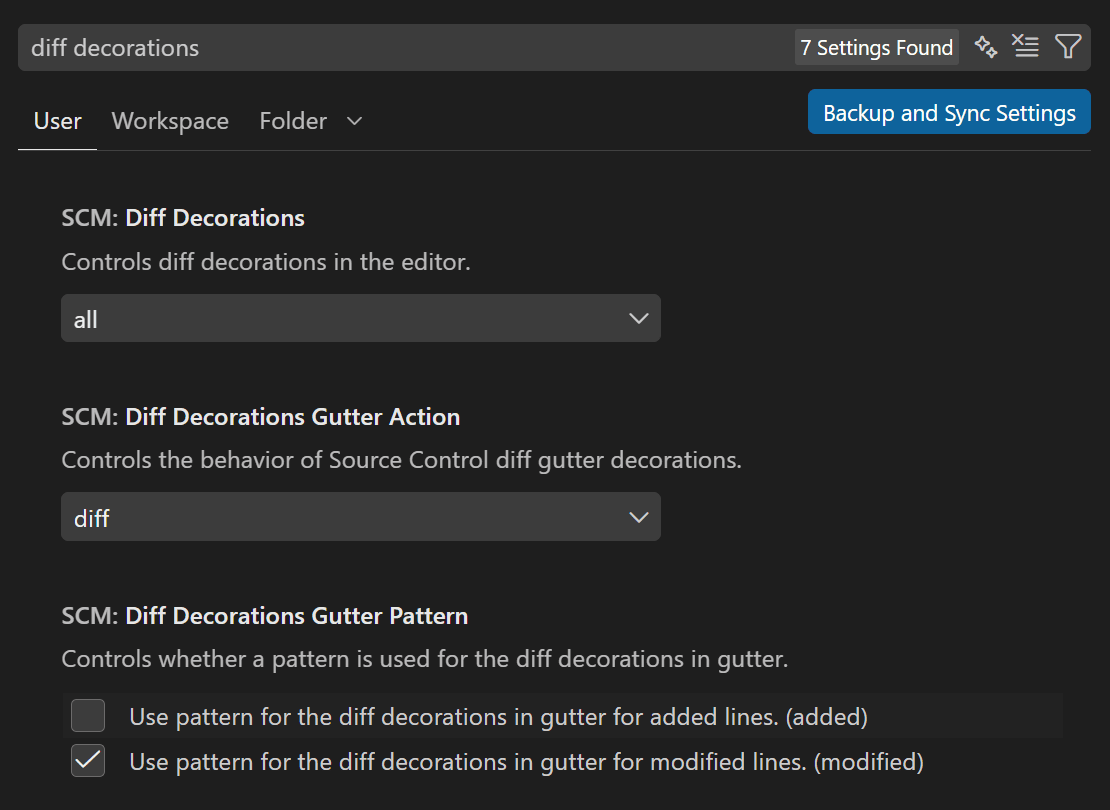
And, as always, there are settings to customize the Diff Decorations, including whether to display them in the gutter or elsewhere, how wide you want the 'decoration', and so on.
Just search for "Diff Decorations" in your settings and you can mess around with some of the options there.
Now on to this week's hand-picked links!
|
|
|
VS Code Tools
|
BunNote — A VS Code extension that lets you write and manage notes directly from VS Code with full markdown support.
LLVM CFG View — A VS Code extension that enables an interactive graph view for .ll files, powered by the Python/C++-based Triskel graph layout engine.
Built-In Accessibility Checks — Most accessibility issues are found in audits. This one finds them as you type. BrowserStack's Accessibility DevTools integrates WCAG checks into your IDE and pairs with Copilot, Claude, or Cursor for instant fix suggestions. Sponsor
Asset Catalog Viewer — A VS Code and Cursor extension that provides an Xcode-like interface for previewing and inspecting .xcassets (Asset Catalog) directories, so you can view your iOS, macOS, and other Apple platform assets with the same visual experience as Xcode.
|
VS Code Theme of the Week
|
Cute Pink Light — A light theme that's heavy on pink, with most of the pink used in the UI parts of the editor. The syntax area is basically the same as the VS Code Light+ theme.
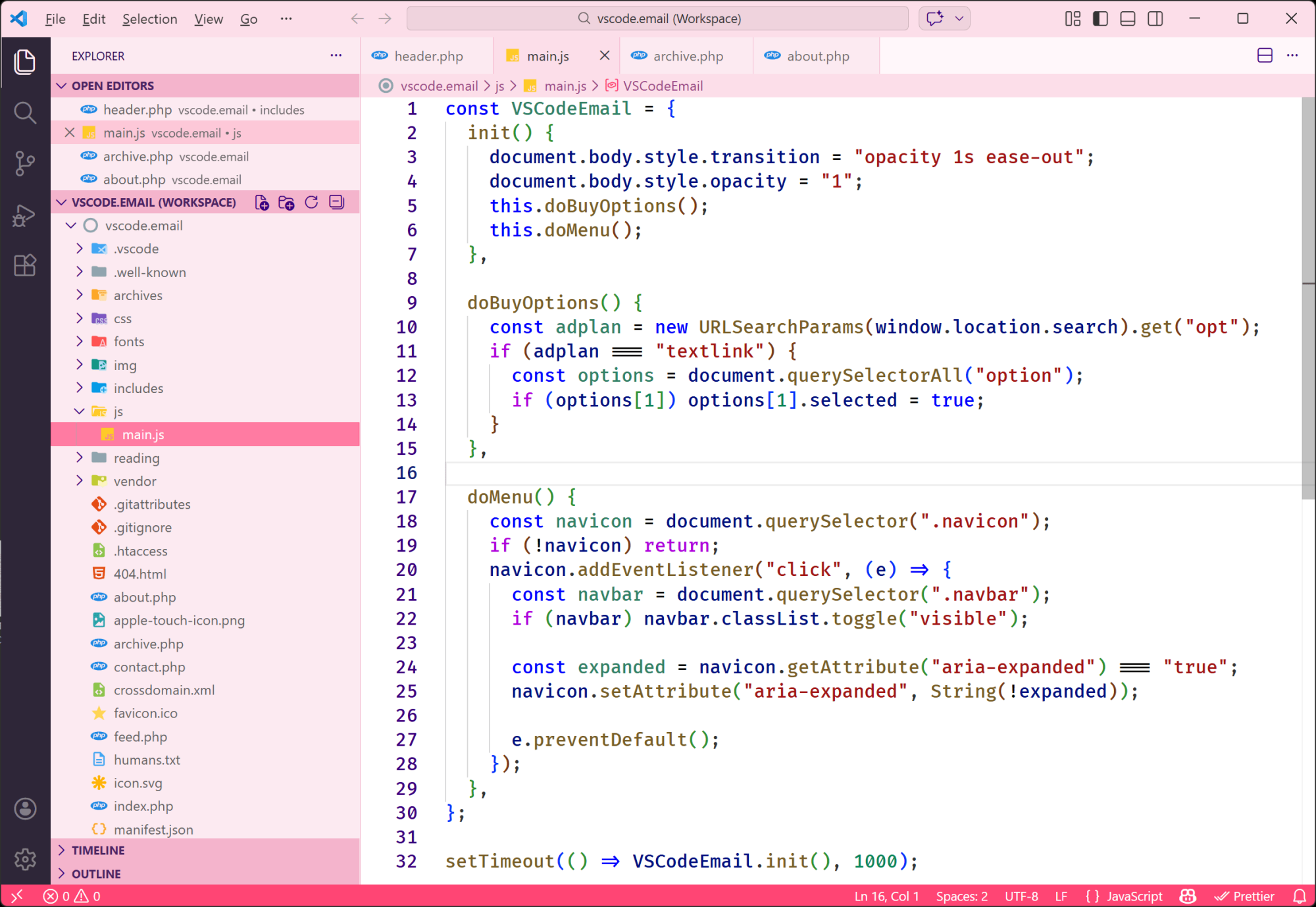
For a theme with an unconventional dominant color, it isn't too bad. It's got good contrast, and I don't find the pink UI aspects are too bold or anything.
|
|
|
|
|
VS Code Articles & Videos
|
Building Long-Distance Next Edit Suggestions — Introduction to a more advanced version of "next edit suggestions" in GitHub Copilot, which extends the feature predict and suggest edits anywhere in your file, not just near your current cursor position. Requires a Copilot subscription and a few settings enabled.
VS Code Becomes Multi-Agent Command Center for Developers — This was already discussed by the VS Code team, but here's another tech blog with a summary of the recent multi-agent updates.
Learn Visual Studio Code (EPUB) — A 346-page e-book in EPUB and PDF formats that features 150+ native tips and 450+ screenshots, to help you customize and learn Visual Studio Code, the world's most popular code editor. Sponsor
📺 Run VS Code in the Nuxt DevTools — This is the 2nd of a two part series on the Nuxt DevTools, so it's mostly about that, while the latter half of this video demonstrates the steps to install vscode-server in Nuxt DevTools and how that can be beneficial.
|
|
|
Best of the Rest
|
CodePen 2.0 — The popular dev playground has recently announced some major updates that are currently in private beta, which you can request access to. New features include files & folders, build with blocks, pain-free config, real-time collab, an omnibar, and new privacy controls.
Coze Studio — An AI agent development platform with all-in-one visual tools, simplifying agent creation, debugging, and deployment.
Leadership Can’t Be Automated — AI can help you move faster, but real leadership still requires human judgment. The free resource 5 Traits AI Can’t Replace explains the traits leaders must protect in an AI-driven world and why BELAY Executive Assistants are built to support them. Sponsor
REMOSSH — A tool that runs in any modern browser on any OS, and on Android tablets, enabling you to use your browser as an SSH server editor, allowing you to edit code, run commands in the integrated terminal, manage repositories with a Git UI, and securely share sessions via tunneling.
If you have any link suggestions, including a tool, article, or other resource related to VS Code or another IDE, you can hit reply, send it via DM on X, or via chat on Bluesky.
That's it for this issue.
Happy VS Coding!
Louis
VSCode.Email
@LouisLazaris
|
|
|