Issue #203 (Reporting an Issue in VS Code)03/11/26
Ever Wish You Got In Earlier?
We’ve all been there. You see a company take off… and realize you heard about it too late. The regret and FOMO is real.
Market Munchies helps you stay ahead — with curated investment insights, crowdfunding deals, and early-stage opportunities. Curated, edited and published by Mode Mobile.
|
Right now, readers can claim FREE Mode Mobile shares just for joining.
Mode has already paid out $325M+ in earnings and savings — and you can own a piece for free.
This time, you don’t have to be late.
|
|
If I find a bug in VS Code or if the VS Code settings describe something incorrectly, I'll usually search for the VS Code GitHub repo and use that to submit an issue to address the problem.
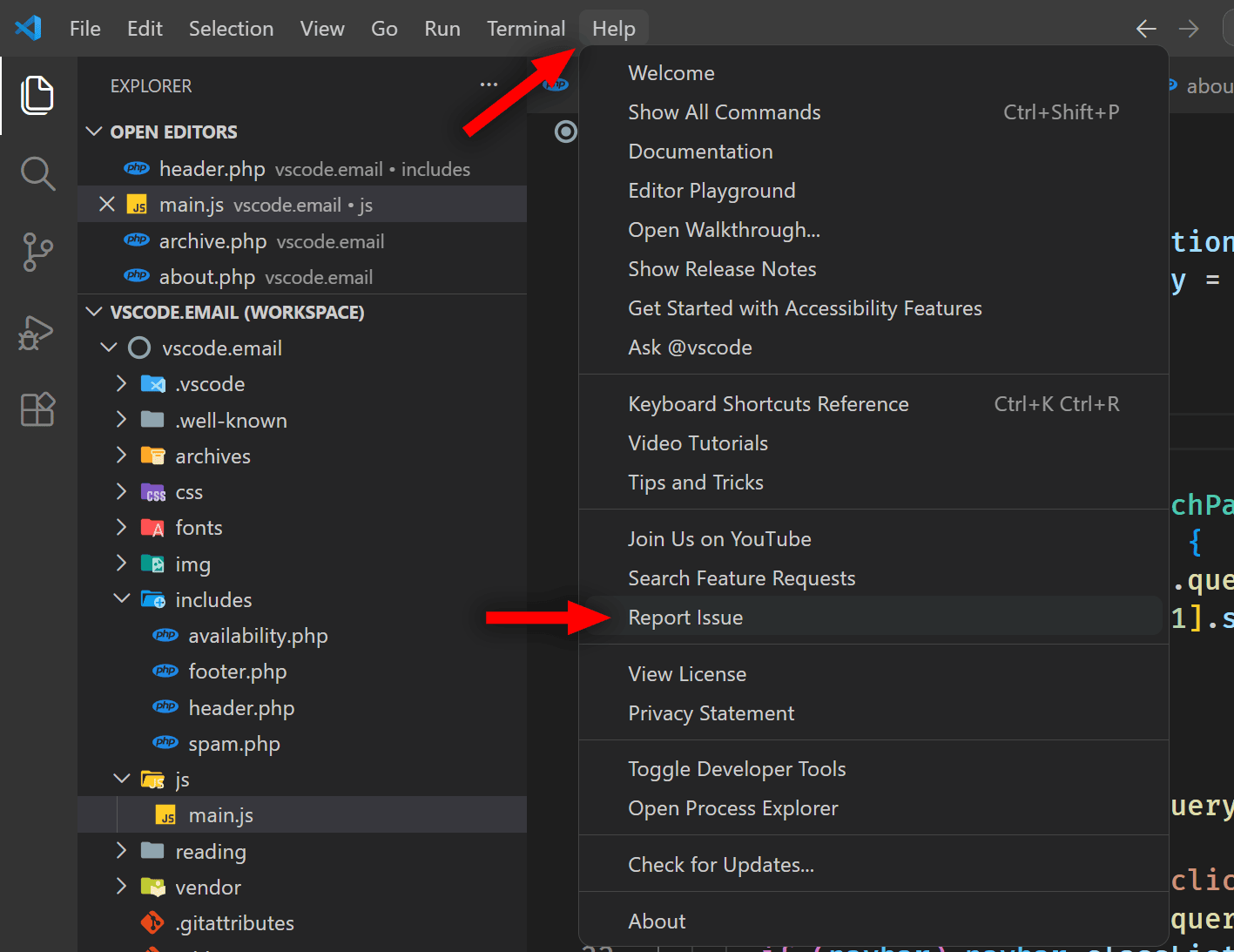
But I recently learned that you can do this from directly inside VS Code. Choose "Help" from the menu bar at the top, then select "Report Issue".
This brings up the Issue Reporter window, which allows you to fill out your issue similar to how you would directly on GitHub, but with a lot more help to make it easier to do.
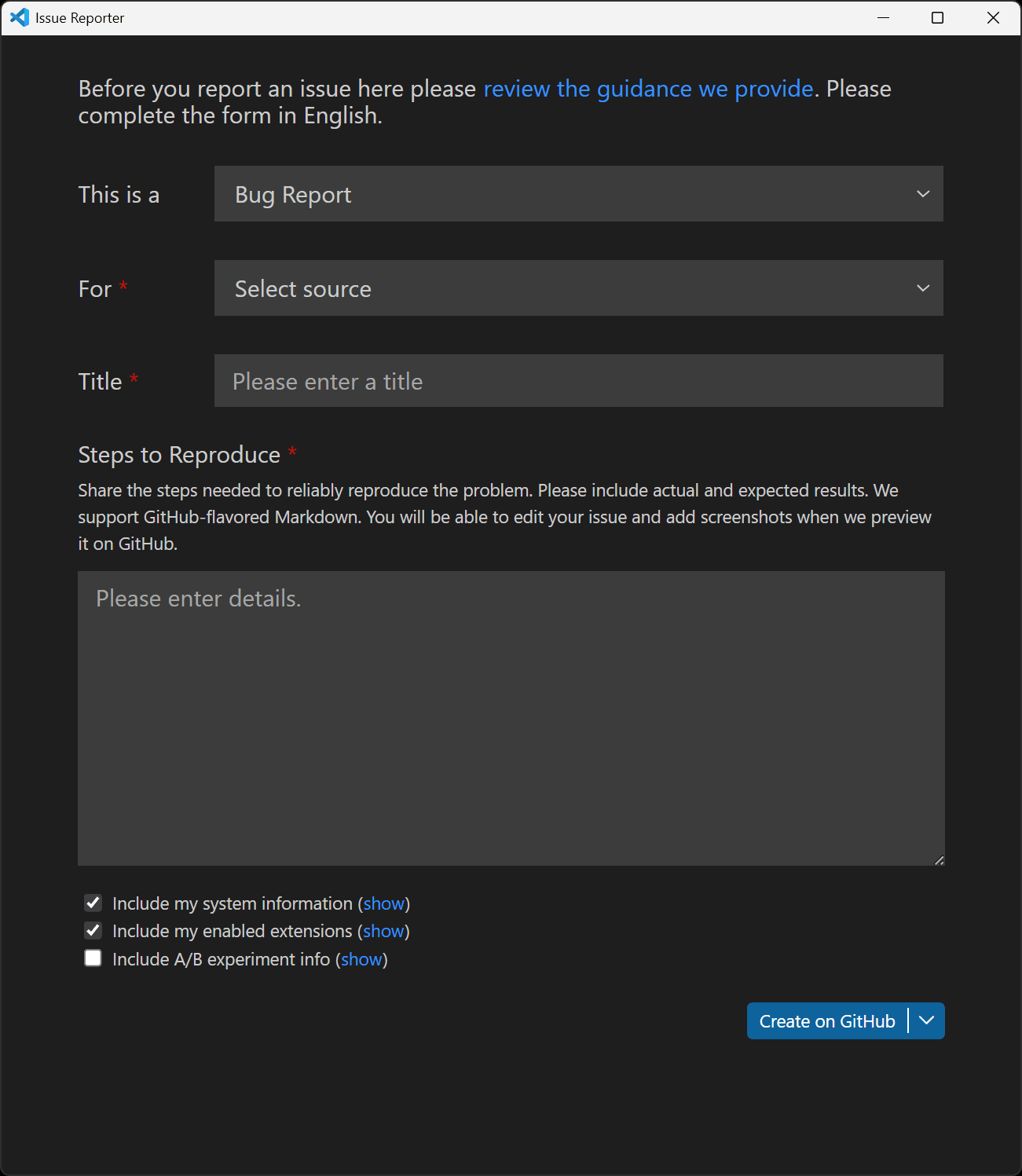 |
As shown above, you can choose the type of issue you want to submit, which includes a Bug Report, Feature Request, or Performance Issue. You can also select what you're reporting this for – VS Code, an extension, or the Marketplace itself.
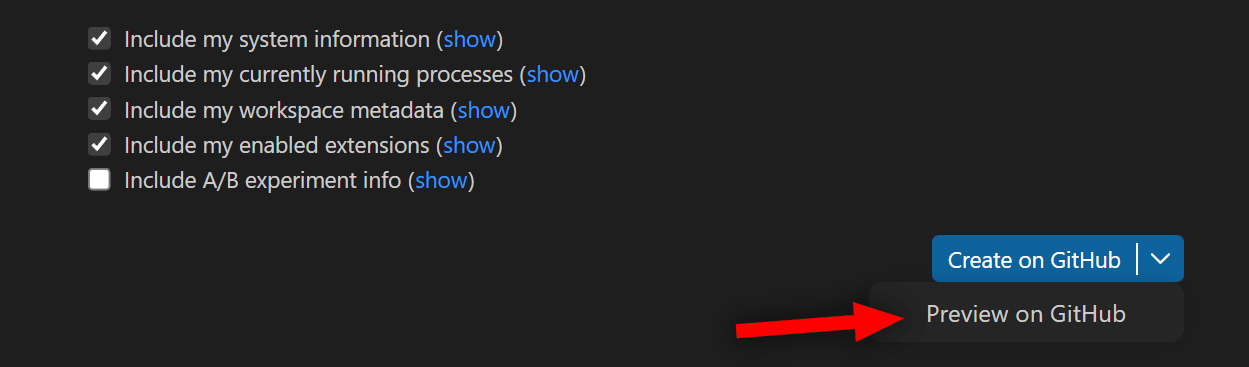
And at the bottom of the report, you can select what information from your local setup you want to share along with the report, including system info, currently running processes, enabled extensions, and so on.
Of course, if you're just submitting a Feature Request, you won't be prompted to send any system info, you'll just describe the feature. Whatever you choose, as shown above, you can then select to either create the issue immediately or preview it on GitHub first.
If you want a quick run-through of a submission of a feature request using this Help option, you can check out this video on the VS Code YouTube channel. That walk-through is pretty detailed, even using Copilot Chat to create the content of the issue, preview on GitHub, etc.
Now on to this week's hand-picked links!
|
|
|
VS Code Tools
|
Mysti — A VS Code extension that enables you to orchestrate Claude, Codex, Gemini, Copilot, Cline, OpenClaw, and more inside VS Code.
Markdown Editor Optimized — A VS Code extension that adds an optimized markdown editor with live editing mode in VS Code.
Learn Visual Studio Code (E-Book) — A 346-page e-book in EPUB and PDF formats that features 150+ native tips and 450+ screenshots, to help you customize and learn Visual Studio Code, the world's most popular code editor. Sponsor
GitScrum Studio — A VS Code extension that adds full project management inside your IDE, with Kanban boards, sprints, time tracking, team chat, wiki, and no browser needed.
|
VS Code Theme of the Week
|
Monochromator — This is a unique set of 16 themes, light and dark, that are 'monochromatic', that is they only use a single color for specific syntax tokens, with the rest just white or dark text.
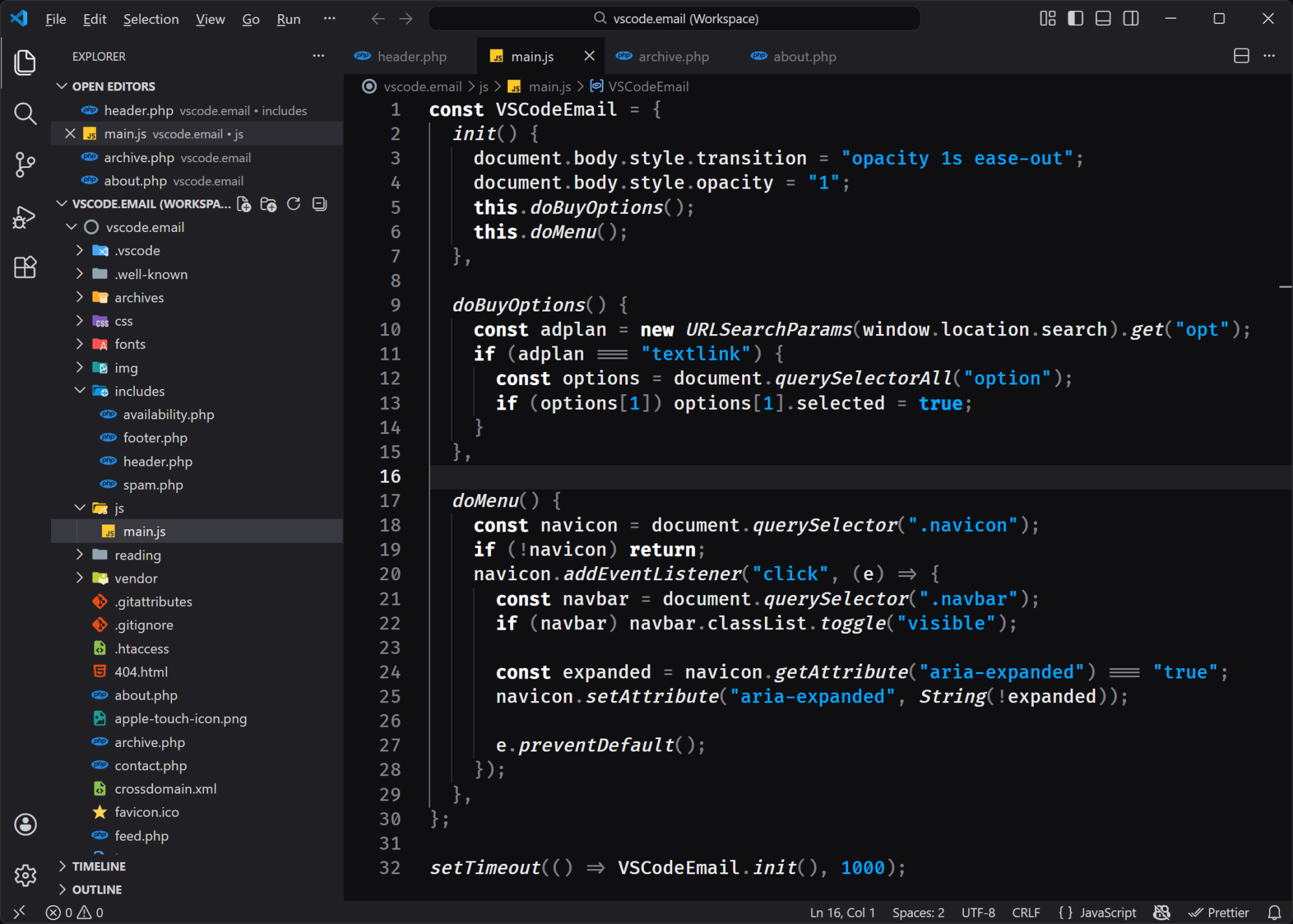
The one shown above is just called 'dark' and uses a blue shade as its only token colorizer. Others use ruby, amber, sulfur, emerald, aquamarine, and so on. Definitely worth a try if you dislike the distraction of too many colors in your syntax highlighting.
|
|
|
|
|
VS Code Articles & Videos
|
|
|
|
|
Best of the Rest
|
Deno SandBox — A safe and simple way to run untrusted code that brings instant Linux microVMs to Deno Deploy, built for AI agents.
Temporal Playground — An online interactive playground that lets you experiment with the new JavaScript Temporal API, the modern replacement for JavaScript's Date object.
Intuit QuickBooks Desktop Premier Plus 2024 (1 User) for Windows — For US and Windows users, a lifetime activation, no subscription fees. Manage your business finances all in one place: track inventory, customize reports, track employee time, manage purchases, and more. Sponsor
Cursor Rules Collection — A set of 39+ ready-to-use .cursorrules files for user with Cursor IDE, enabling you to supercharge your AI coding assistant with framework-specific rules.
If you have any link suggestions, including a tool, article, or other resource related to VS Code or another IDE, you can hit reply, send it via DM on X, or via chat on Bluesky.
That's it for this issue.
Happy VS Coding!
Louis
VSCode.Email
@LouisLazaris
|
|
|