Issue #204 (VS Code Stable Goes Weekly)03/18/26
BugHerd Website Feedback & Bug Tracking Tool
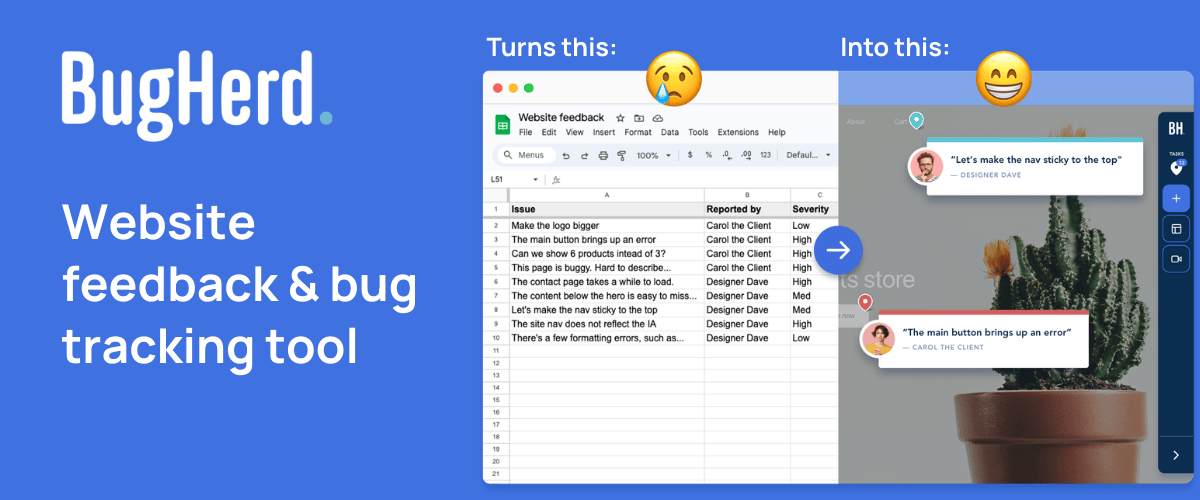
BugHerd is designed for agencies and web development teams collecting user feedback on live websites. It makes it easy for clients to report bugs. Clients simply point, click, & comment – BugHerd grabs a screenshot, saves technical details, and creates a task for your team to track.
|
It’s ideal for non-technical clients and teams that want a streamlined feedback loop without the chaos of email chains and messy spreadsheets.
- Visual point-and-click bug reports
- Automatic screenshot & user tech details
- Task tracking
- Deep two-way integrations
- No client login
- Ongoing public bug reporting
|
|
If you've been subscribed to this newsletter for a few months or more, you may have noticed that I feature the monthly stable release of VS Code in the "Articles..." section, usually in the second newsletter issue of the month.
That's been the general release cycle for the VS Code team for about 10 years now. But this month they've announced that VS Code will now be on a weekly stable release schedule. This is briefly introduced in an iteration plan issue on GitHub.
And as that issue indicated, they've posted a full write up with more info on the new plan in this blog post. Note what they explain:
"This shift was only possible because of the way agents have transformed how we work. The weekly cadence isn't about shipping faster for its own sake. It's about getting improvements to developers sooner. A bug fix that used to wait three weeks for the next stable release now ships in days. A feature that's merged on Monday can be in developers' editors that same week."
The post also links to a YouTube video, which was the first part after the initial keynote on Agent Sessions Day, which I discussed a few issues ago.
 |
In the video, two of the engineers working on VS Code discuss how the VS Code team uses AI for day-to-day work as well as for everything associated with building new features – which ultimately is how they arrived at this new release schedule.
Naturally, some concerns were raised in the GitHub issue about this rapid schedule, including how it will affect teams and extension developers. Time will tell if this is a good move.
Now on to this week's hand-picked links!
|
|
|
VS Code Tools
|
JavaScript and TypeScript Nightly — A VS Code extension that enables the nightly build of TypeScript as VS Code's built-in TypeScript version used to power JavaScript and TypeScript IntelliSense. Recommended only for advanced users who want to test new TypeScript features before they're released.
Files2Prompt — A VS Code extension that enables you to use a visual file tree to copy file contents in XML format for LLM prompts.
BugHerd Website Feedback Tool — BugHerd makes it easy for clients to leave website feedback and report bugs. Clients simply point, click, and comment – BugHerd grabs a screenshot, saves technical details, and creates a task for your team to track. Sponsor
VS Code Agent Kanban — A VS Code extension that provides an integrated Kanban board for managing coding agent tasks with persistent, version-controllable markdown conversations.
|
VS Code Theme of the Week
|
Noctalia Theme — From the same team that produces a lavender-themed shell for the Wayland server protocol, this is a unique theme that has some nice lavender syntax choices on top of a dark background.
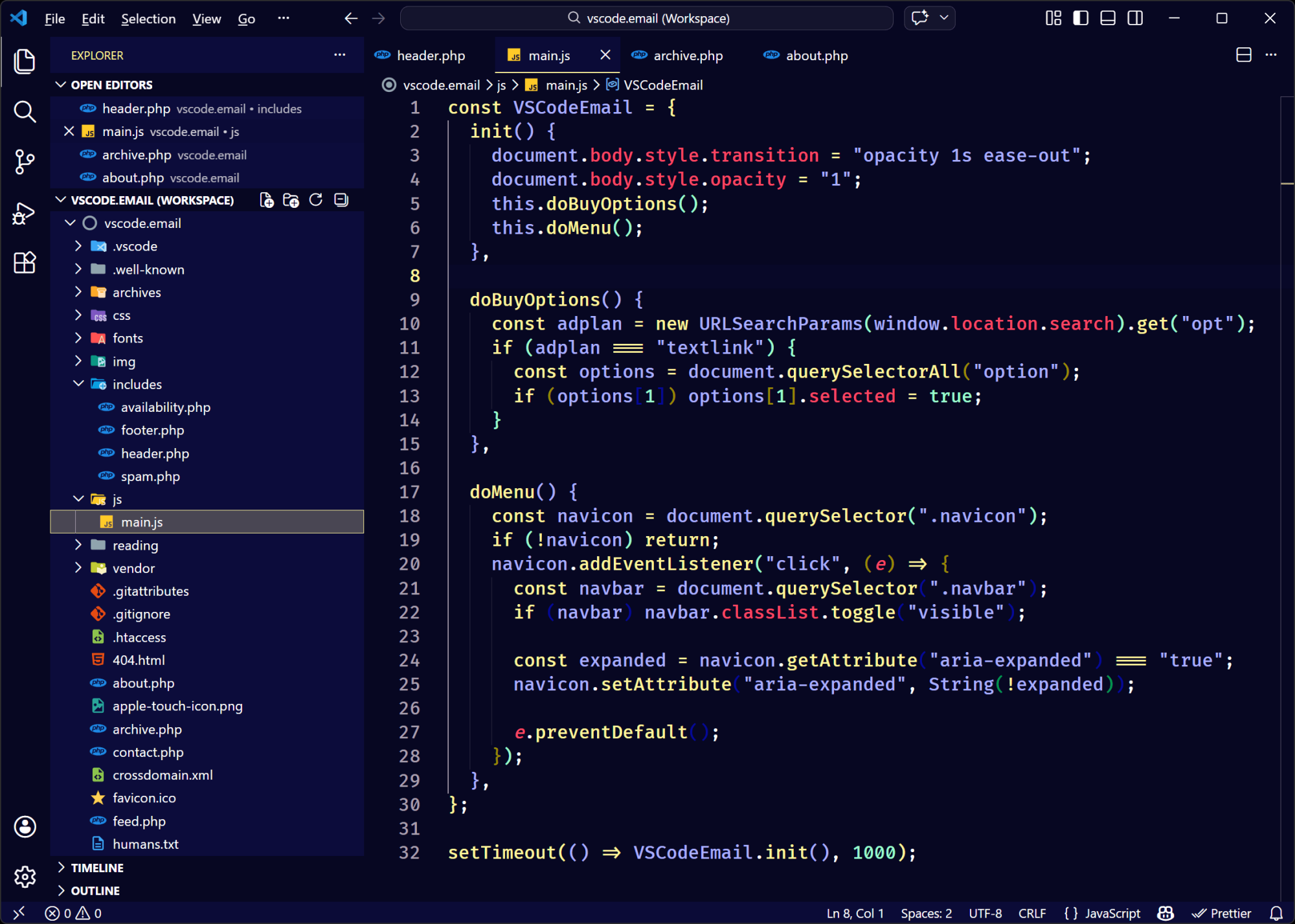
It has a very 'neon' vibe to it, without being too overbearing, so if you would like to use a bold and colorful theme that gives 'night' vibes without being too dark, this might work for you.
|
|
|
|
|
VS Code Articles & Videos
|
|
|
|
|
Best of the Rest
|
Cursor is Now Available in JetBrains IDEs – As announced by the Cursor team, Cursor is now available in IntelliJ IDEA, PyCharm, WebStorm, and other JetBrains IDEs through the Agent Client Protocol (ACP).
Bit&R — An educational game studio "universe" for 10–14 year olds, consisting of three "worlds", allowing kids to learn a different side of how digital systems work through games they actually want to play.
AiAssistWorks Plus Plan: Lifetime Subscription — Turn hours of work into minutes. Work with 100+ AI models for bulk filling spreadsheets, content generation, data extraction, document writing, and more. Sponsor
Crawbots — A powerful all-in-one IDE and engine designed for different kinds of web automation and data extraction with JavaScript, available for Windows, Mac, and Linux.
If you have any link suggestions, including a tool, article, or other resource related to VS Code or another IDE, you can hit reply, send it via DM on X, or via chat on Bluesky.
That's it for this issue.
Happy VS Coding!
Louis
VSCode.Email
@LouisLazaris
|
|
|