Issue #205 (Auto Detect OS Color Scheme)03/25/26
|
|
Here's what you get:
- Daily AI news that matters for your career – Filtered from 1000s of sources so you know what affects your industry.
- Step-by-step tutorials you can use immediately – Real prompts and workflows that solve actual business problems.
- New AI tools tested and reviewed – We try everything to deliver tools that drive real results.
- All in just 3 minutes a day
|
|
Do you customarily prefer that your apps auto-detect your dark/light preferences based on your current OS state? For example, you might have your OS set to always be in dark mode certain night hours while automatically switching back to light mode for daylight hours. This can be done on Windows, macOS, and Linux, which you can look up or ask your favourite AI bot.
With that in mind, if you want VS Code to switch between your preferred dark mode and preferred light mode depending on what's currently selected for the OS, you can do that by checking the Window: Auto Detect Color Scheme setting.
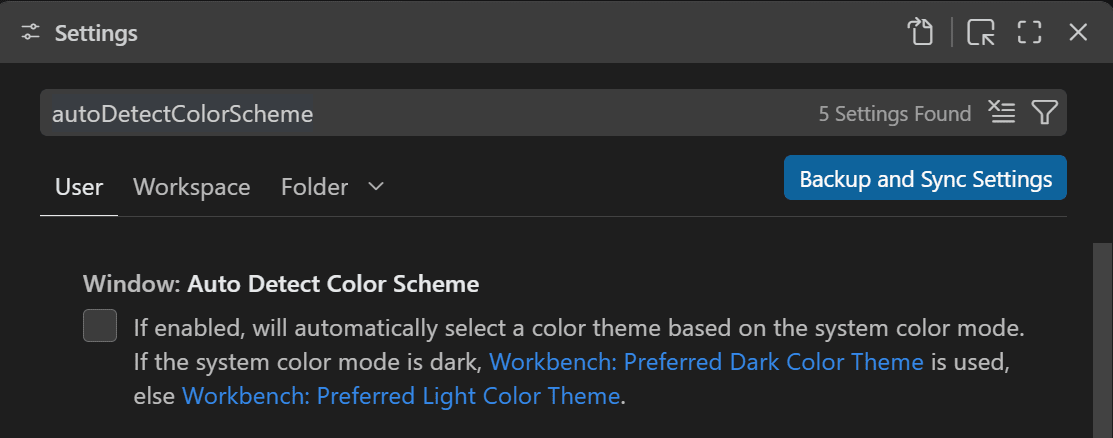 |
And, as you can see in the setting description, your selected themes for preferred dark and preferred light will be the themes used.
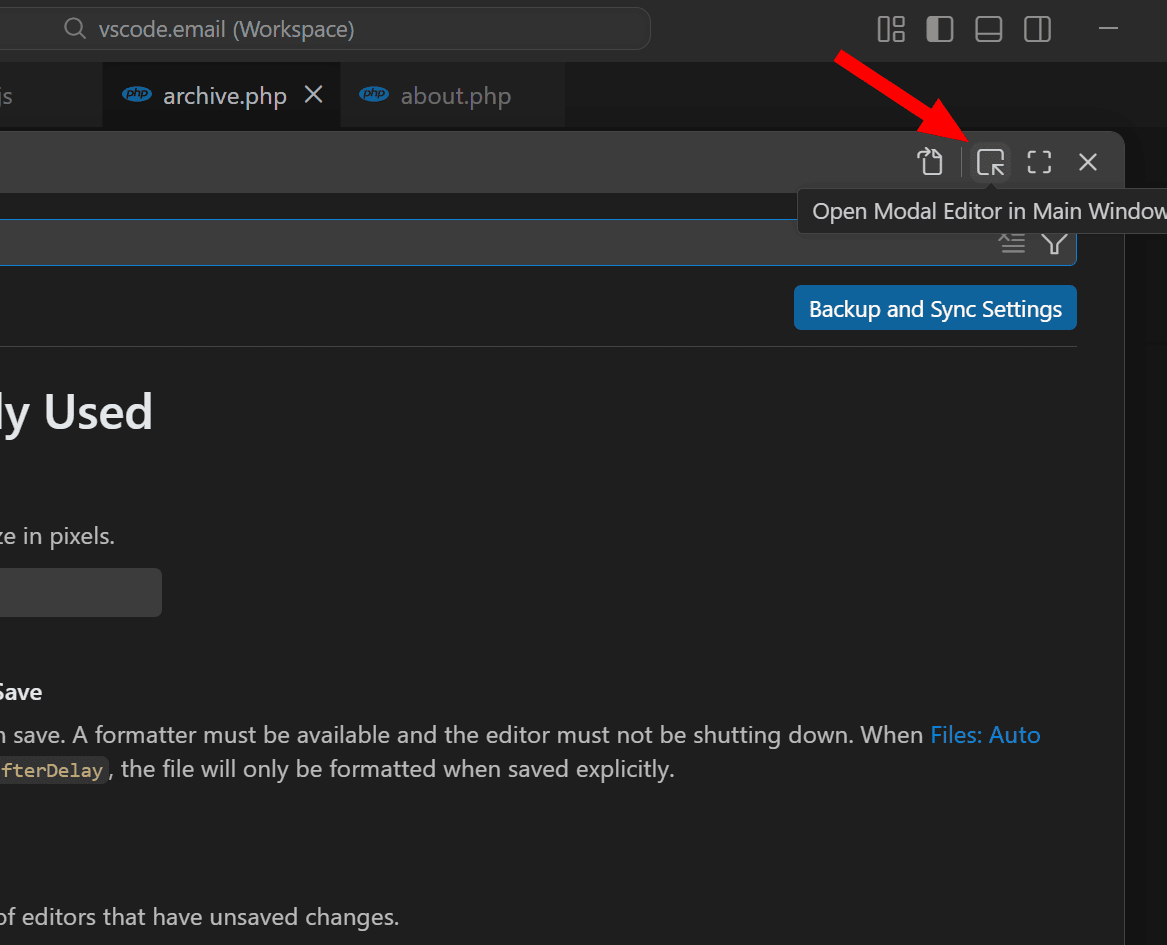
That's just a quick tip for this week, but maybe you also noticed something a little different in your UI settings, if you happened to open your settings in a recent update of VS Code. You'll notice your Settings UI will now open in a modal window overlaid on your current VS Code window.
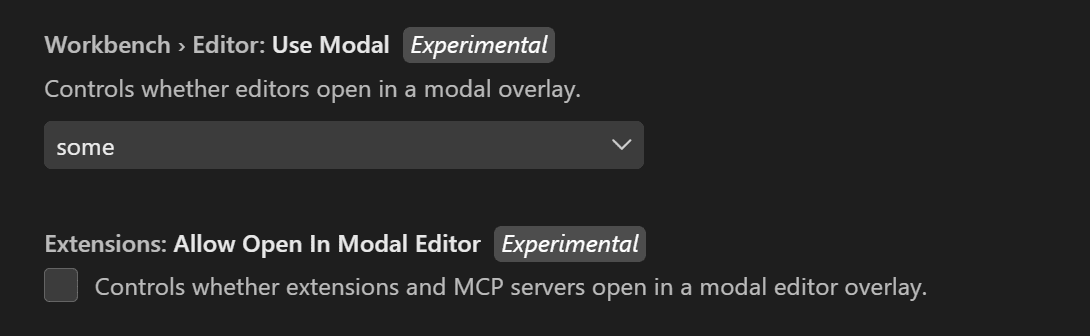
As shown above, you can click a button to move the modal back to a tab, like the old method of doing this. This is currently an Experimental feature, and I think it works well. You can see two related settings if you look for the word 'modal' in your Settings UI.
The first setting lets you determine which editors open in modals (Settings and Keyboard Shortcuts are under the "Some" value). The second setting is for extensions and MCP servers.
Now on to this week's hand-picked links!
|
|
|
VS Code Tools
|
ARKO — An extension for VS Code and forks, for DevSecOps teams, that lives inside your code editor to reveal your security gaps based on context, then fixes and validates them while you're still coding.
NPM Visual Manager — A VS Code extension that provides a visual interface for managing npm dependencies, inspired by the NuGet Package Manager in Visual Studio, with features like update checking, security audit, and bulk operations.
Learn Visual Studio Code (EPUB) — A 346-page e-book in EPUB and PDF formats that features 150+ native tips and 450+ screenshots, to help you customize and learn Visual Studio Code, the world's most popular code editor. Sponsor
Conventional Commits — A VS Code extension that helps you to fill in commit message according to Conventional Commits, the popular spec for making commit messages readable to humans and machines. See articles section below for a tutorial on using it.
|
VS Code Theme of the Week
|
42KM — A very unusual dark theme inspired by a video game called Marathon, featuring a color palette similar to the popular Solarized Dark theme.
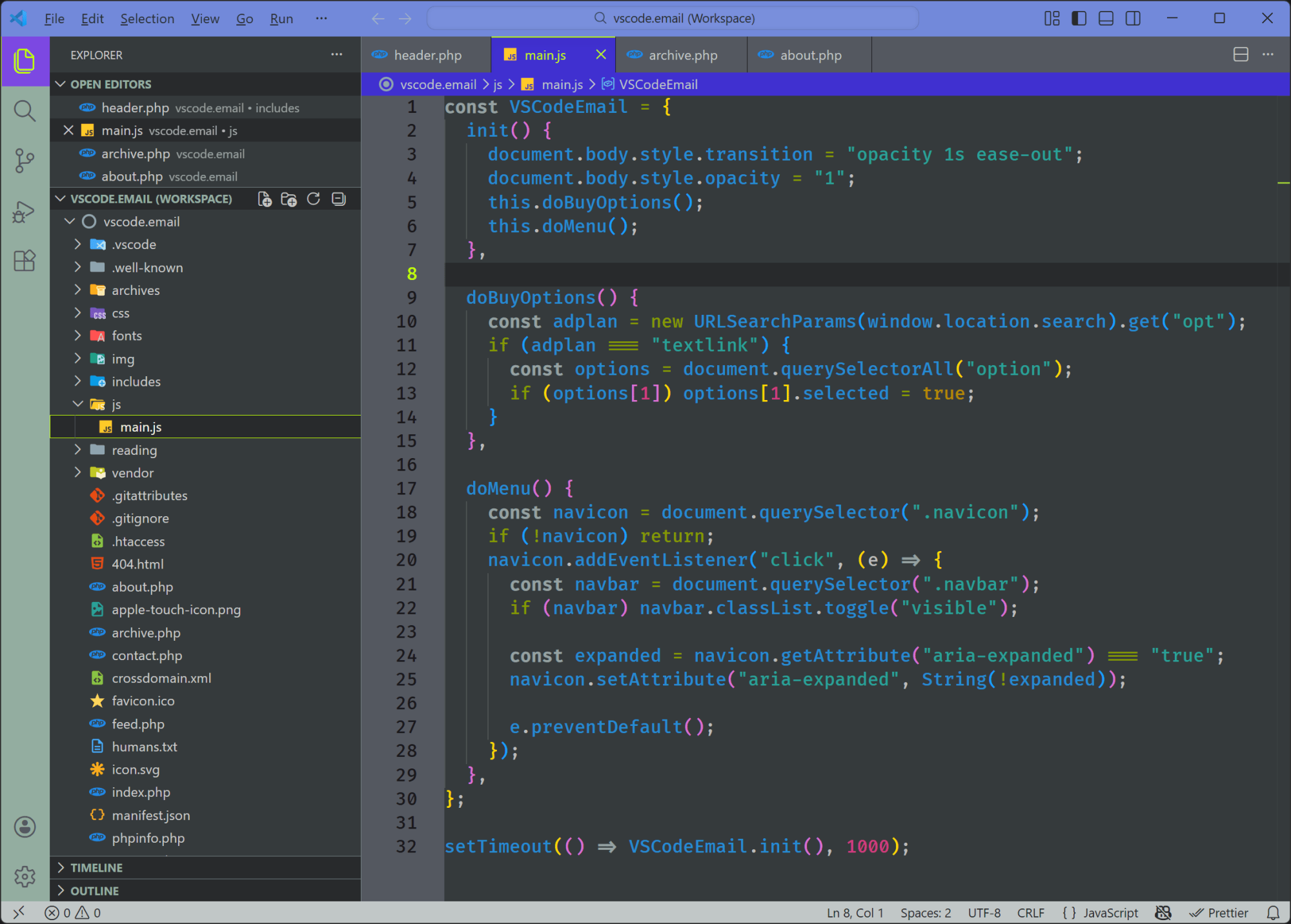
This theme makes some risky choices not only with the syntax highlighting, but also with the UI in general. Something different to try out if you're up for it!
|
|
|
|
|
VS Code Articles & Videos
|
GlassWorm Malware Hits 400+ Code Repos on GitHub, npm, VS Code, OpenVSX — More malware news, this time researchers at various organizations have collectively identified 400+ compromised components in attacks attributed to GlassWorm.
Is the VS Code Team Releasing a New "Sessions" App? — From an X thread of a relatively unknown account, there are some screenshots here covering a new feature that's apparently currently available in VS Code Insiders. I couldn't find anything else about this anywhere, so take it with a giant slab of salt.
FolderFort 2TB Cloud Storage Pro Plan: Lifetime Subscription — A discounted lifetime deal for this user-friendly, high-speed cloud storage service that offers secure file storage and access from any modern browser on PC, Mac, or mobile, no installations needed. Sponsor
Stop Writing "Fix Bug". Clean Up Your Commits with this VS Code Extension — An introduction to using the Conventional Commits extension linked above in the tools section, to help you have a clean, standardized, and useful Git history with little-to-no extra effort.
|
|
|
Best of the Rest
|
ESM Web Sandbox — A lightweight React playground powered by esm.sh/TSX, with a files/folders list, console, and live preview.
Commander — An AI coding workspace for multi-agent development on Mac that combines review-first diffs, integrated Git workflow, and system-level integration with your local tools in one focused flow.
TLDR Dev — Get smarter about software in 5 minutes. The most important software engineering news in one daily email. Join 450k+ subscribers. Sponsor
Windows When? Windows Now — In case you missed it, back in October, Zed announced support for Windows (stable release and preview) for the Zed editor.
If you have any link suggestions, including a tool, article, or other resource related to VS Code or another IDE, you can hit reply, send it via DM on X, or via chat on Bluesky.
That's it for this issue.
Happy VS Coding!
Louis
VSCode.Email
@LouisLazaris
|
|
|