Issue #207 (VS Code Agents Preview)04/08/26
|
|
Here's what you get:
- Daily AI news that matters for your career – Filtered from 1000s of sources so you know what affects your industry.
- Step-by-step tutorials you can use immediately – Real prompts and workflows that solve actual business problems.
- New AI tools tested and reviewed – We try everything to deliver tools that drive real results.
- All in just 3 minutes a day.
|
|
A few weeks ago I linked to an X thread where an unknown account was discussing a new standalone app that exists alongside VS Code Insiders. The account said that the new app was called "Sessions", but it seems as if this is a reference to the now announced Visual Studio Code Agents, which is in Preview status.
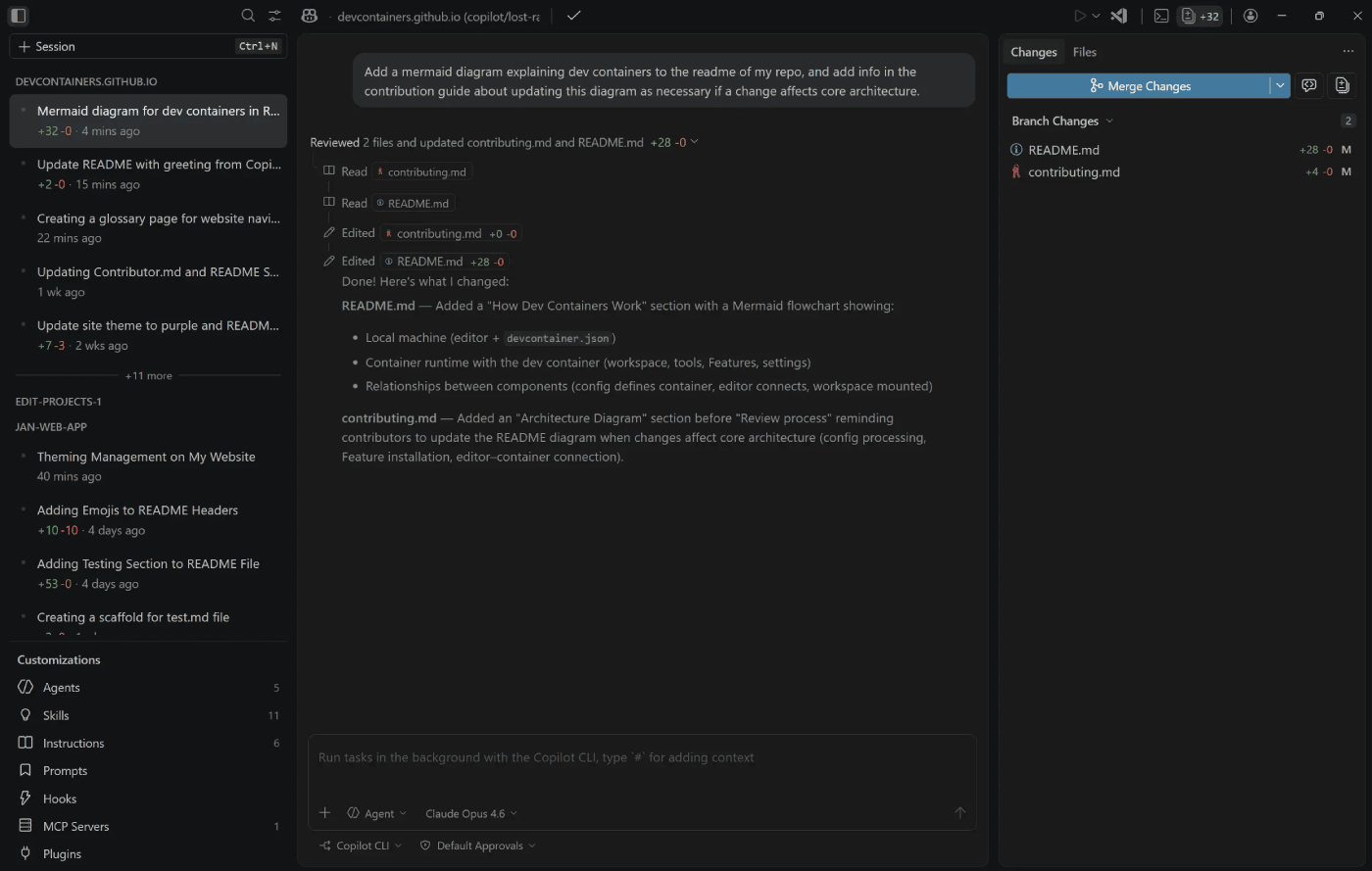 |
The features of this new app (screenshot shown above) are described as:
Parallelize tasks across projects – Kick off agent sessions across multiple repos in parallel (each isolated in its own worktree), quickly switch context (with UI that adapts to your selection), and iterate on human and agentic reviews.
Monitor and review – Track session progress, view diffs inline, leave feedback for agents, and create pull requests without leaving the app.
Your customizations carry over – Custom instructions, prompt files, custom agents, MCP servers, hooks, and plugins all work in the Agents app, along with your other VS Code customizations like themes, for example.
No extra install – The app ships alongside VS Code Insiders. Launch it from your Start menu or Applications folder in the OS, or run Chat: Open Agents Application from the Command Palette.
We'll see how it progresses as they accept feedback during the early stages of the app.
Now on to this week's hand-picked links!
|
|
|
VS Code Tools
|
MoonCode — A VS Code extension that tracks your coding time (like WakaTime) and gives you a detailed summary about all your coding statistics.
Dotenv-diff — A VS Code extension that helps catch missing and unused environment variables against your .env file.
Learn Visual Studio Code — A 346-page e-book in EPUB and PDF formats that includes 150+ native tips and 450+ screenshots, to help you customize and learn Visual Studio Code, the world's most popular code editor. Sponsor
Githrun — A versatile command-line tool and VS Code extension that enables you to execute, explore, and install Python scripts directly from GitHub and Gists.
|
VS Code Theme of the Week
|
Cursor Midnight — Forked from Cursor, and not affiliated with Cursor, this is a set of three themes with nice pastel colors, including a Dark, Midnight, and Light version.
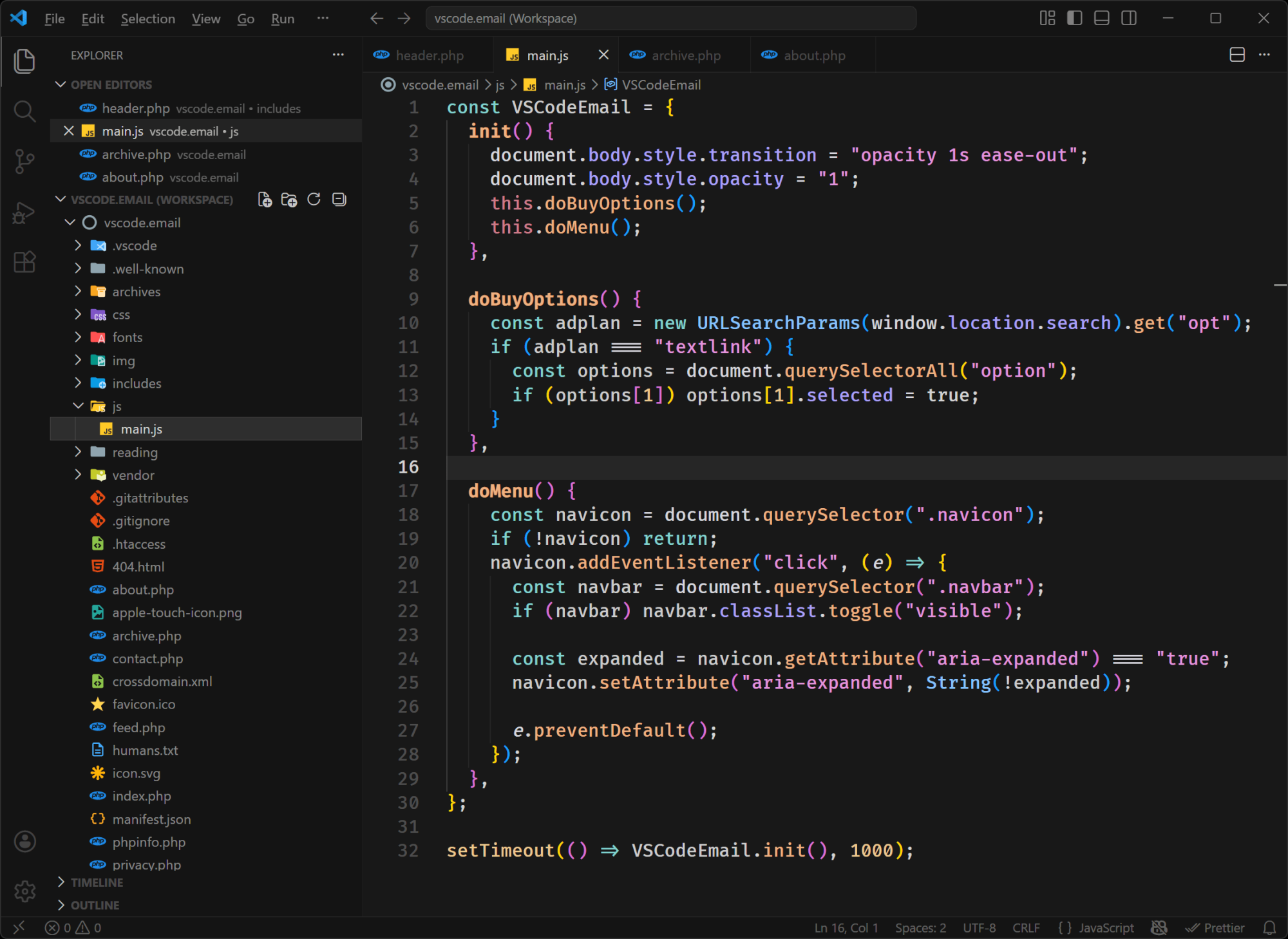
The one shown above is the Cursor Dark, which I like the best, as it's a more customary dark theme. The "Midnight" version is also nice, but as you probably guessed, the colors are a little darker.
|
|
|
|
|
VS Code Articles & Videos
|
|
|
|
|
Best of the Rest
|
Superset — A code editor for AI Agents that enables you to orchestrate swarms of Claude Code, Codex, etc. in parallel and works for any agents.
OpenSandbox — A general-purpose sandbox platform for AI applications, offering multi-language SDKs, unified sandbox APIs, and Docker/Kubernetes runtimes for various scenarios.
David Burkus Newsletter — Join 25,000+ leaders who receive David's twice monthly tips on building high-performing teams. Sponsor
Ask HN: Is It Worth Learning Vim in 2026? — A Hacker News thread that discusses whether there is any reason to learn Vim in the AI era.
If you have any link suggestions, including a tool, article, or other resource related to VS Code or another IDE, you can hit reply, send it via DM on X, or via chat on Bluesky.
That's it for this issue.
Happy VS Coding!
Louis
VSCode.Email
@LouisLazaris
|
|
|