Issue #209 (Terminal Agent Tool Updates)04/22/26
As I mentioned in a previous issue, VS Code now uses modal windows for a number of different features, including when you open the Settings UI.
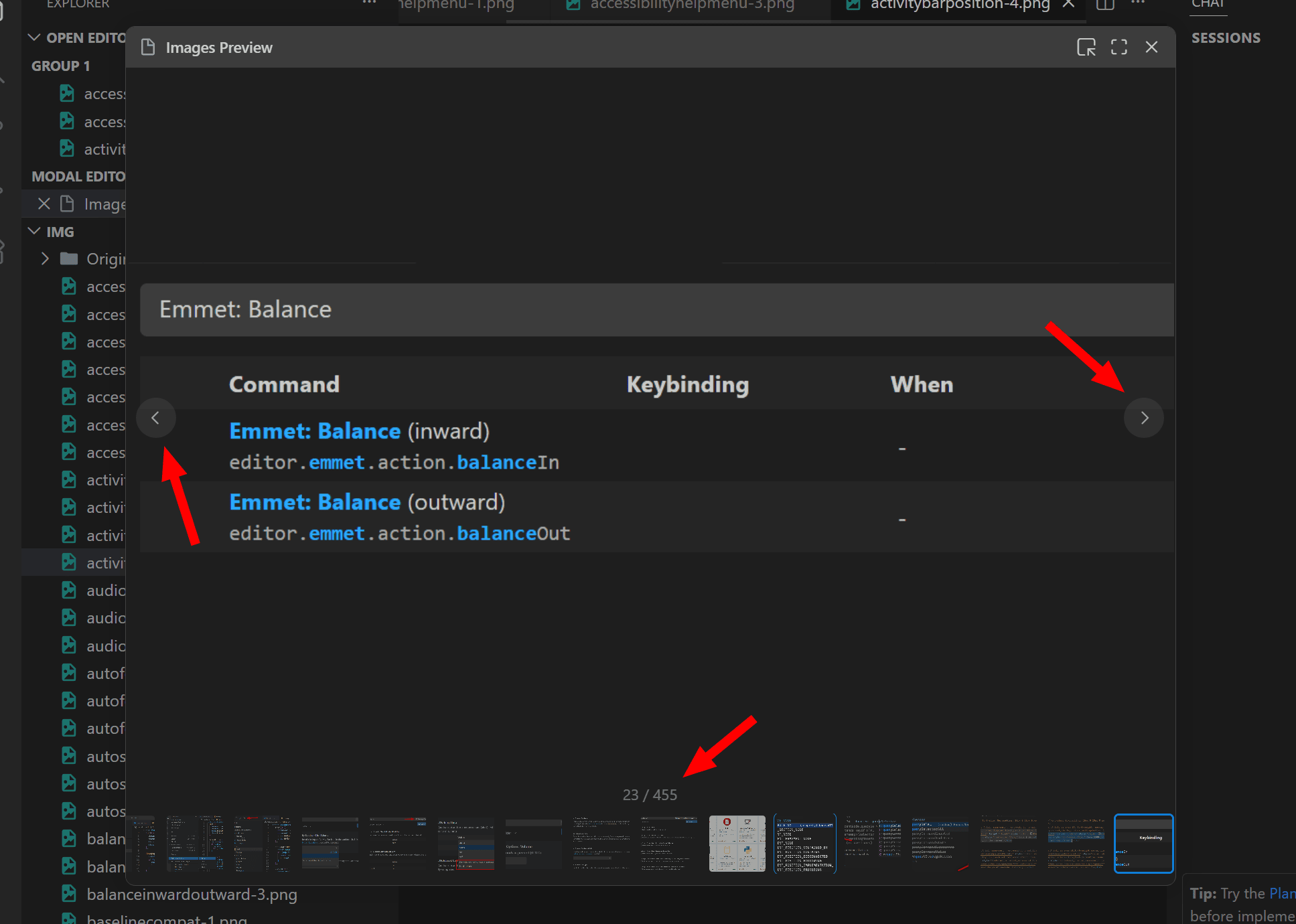
Similarly, you can open any image in a modal window and if there are many images in the same folder, you can view the images using an image carousel.
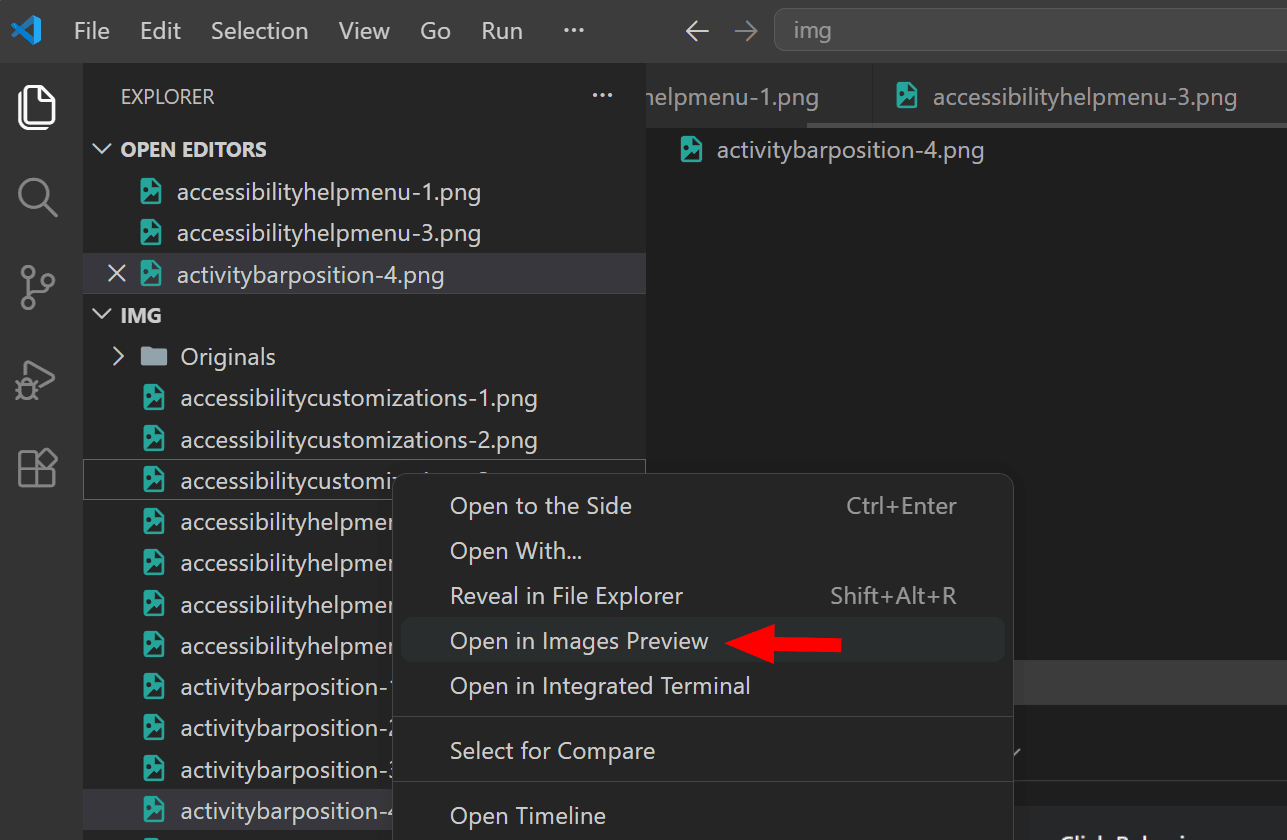 |
In the above example, I've right-clicked one of the images in a folder and selected "Open in Images Preview". This opens the image in a modal, along with a full carousel of all the images in the same folder. I can then navigate the images using the keyboard or the carousel left/right buttons .
In the example below, I've opened the folder that holds all the images for my VS Code e-book.
A similar image carousel is also available when using image attachments in your AI chat sessions. In either case, you also have the option to use standard zooming for the current image, using shortcuts Click to zoom in or CTRL/OPT+Click to zoom out.
Now on to this week's hand-picked links!
|
|
|
VS Code Tools
|
ContextSync — A VS Code extension that allows teams to share AI conversation context automatically by saving chats as a structured .md file, synced via OneDrive to your team's Obsidian vault, and injected as context built into every team member's AI chats.
Exasol for VS Code — A VS Code extension for working with Exasol databases, providing database management, intelligent SQL editing, and query execution.
Learn Visual Studio Code — A 346-page e-book in EPUB and PDF formats that includes 150+ native tips and 450+ screenshots, to help you customize and learn Visual Studio Code, the world's most popular code editor. Sponsor
Pomodoro Timer — A VS Code extension that adds a simple Pomodoro timer in the status bar.
|
VS Code Theme of the Week
|
Neon Green Theme Collection — A set of 6 VS Code themes in 2 families: Neon Green and Soft Glow. The one shown below is the Neon Green Light, which I thought is a fairly nice light theme that's not too bright.
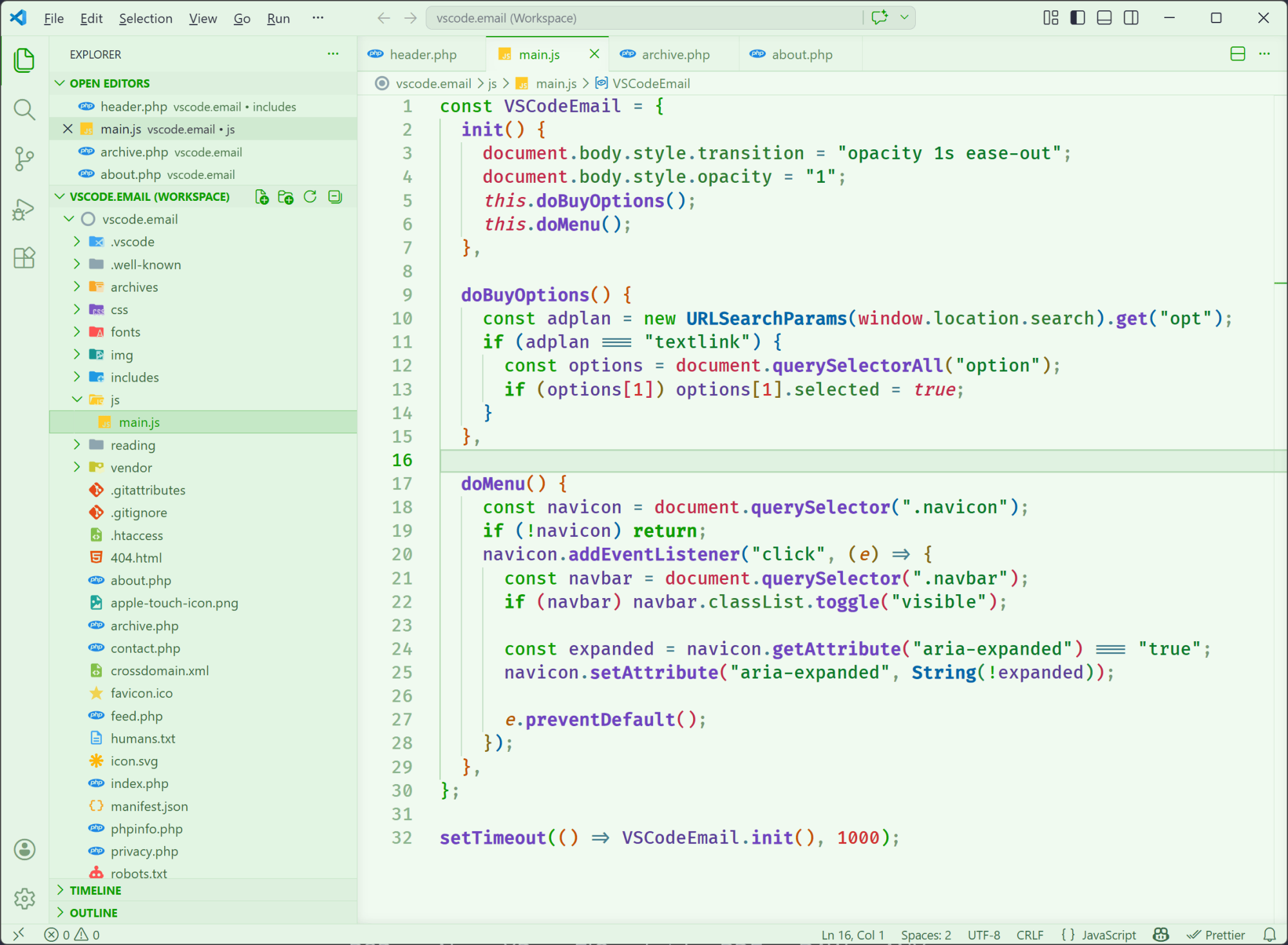
The Neon Green Dark is also nice, if you prefer dark with the neon greens. The two themes in the Soft Glow family are more run-of-the-mill dark and light themes, with no real connection to the 'neon' used in the others.
|
|
|
|
|
VS Code Articles & Videos
|
|
|
|
|
Best of the Rest
|
Gram — A powerful and modern source code editor that features solid performance, is highly configurable, built-in documentation, source control via Git, and more.
.cursorrules Generator — Select your tech stack and get a professional, ready-to-use .cursorrules file with real coding conventions and best practices for use in Cursor IDE.
David Burkus Newsletter — Join 25,000+ leaders who receive David's twice monthly tips on building high-performing teams. Sponsor
julIDE — A modern, fully-featured IDE for the Julia programming language, built with Tauri 2, React, TypeScript, and Rust.
If you have any link suggestions, including a tool, article, or other resource related to VS Code or another IDE, you can hit reply, send it via DM on X, or via chat on Bluesky.
That's it for this issue.
Happy VS Coding!
Louis
VSCode.Email
@LouisLazaris
|
|
|