Issue #216 (What We Learned Shipping VS Code Weekly)06/10/26
|
|
Here's what you get:
- Daily AI news that matters for your career – Filtered from 1000s of sources so you know what affects your industry.
- Step-by-step tutorials you can use immediately – Real prompts and workflows that solve actual business problems.
- New AI tools tested and reviewed – We try everything to deliver tools that drive real results.
- All in just 3 minutes a day
|
|
|
|
|
VS Code Tools
|
Tokenyst — A VS Code extension that runs locally, no account needed, to track GitHub Copilot Chat & CLI usage, token costs, and credits against a monthly budget.
JSON Embedded Languages — A VS Code extension that provides syntax highlighting for embedded languages within JSON and JSONC files, with support for package.json, schema.json, keybindings.json, etc.
The Deep View — The go-to daily newsletter for 600k+ founders, knowledge workers, and professionals who want to stay up to date with AI. Sponsor
Vincent — A VS Code extension that features a copilot for data scientists that can perform multiple actions within Jupyter Notebooks, including generating, running, editing, and deleting cells.
|
VS Code Theme of the Week
|
Galewind — This set of four themes uses colors from the Tailwind CSS documentation. I haven't spent much time in the Tailwind docs myself, but these dark themes are quite nice.
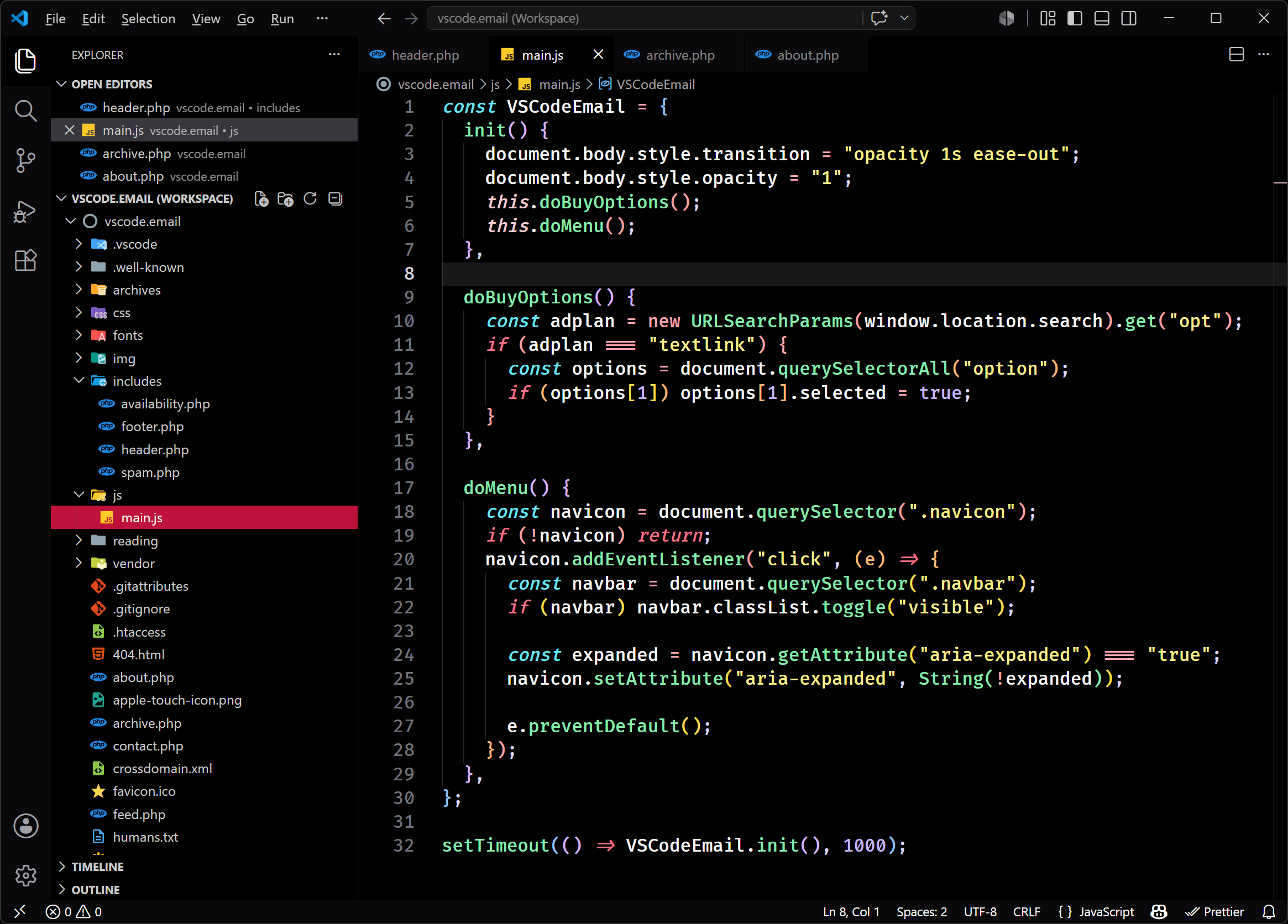
The theme shown above is "Galewind Black Rose", which uses a very dark, almost black background. There's also Galewind Dark Rose (not as dark background) along with Galewind Black Sky (with blue highlights) and Galewind Dark Sky (again, same as Black Sky, but not as dark).
|
|
|
|
|
VS Code Articles & Videos
|
📺 What We Learned Shipping VS Code Weekly (Without Breaking Everything) — A talk from Microsoft Build on June 3, where the team breaks down how they switched the VS Code release cycle to weekly instead of monthly, with some tips other teams may benefit from as well.
Controlling VS Code From the Terminal — One developer's favourite tips on using the terminal to control VS Code. Mostly beginner tips with using the terminal for this, but this will be useful if the process is new to you.
TLDR Design — Curated design tools, trends, and inspiration in 5 minutes a day, for design professionals. Join 225,000 readers. Sponsor
Hardening VS Code Extensions — A quick post on how to ensure your VS Code installed extensions aren't going to cause you security problems in the future.
|
|
|
Best of the Rest
|
Maestri — A native Mac app that provides an infinite canvas where your coding agents work in concert, enabling you to sketch architecture diagrams, give agents their own roles, and more.
BuilderStudio — A free agentic coding IDE for Mac, Linux, Windows, and remote Hermes runtimes, with built-in MCP, OpenRouter integration, reusable Skills, Agentic Swarms, and lots more.
Web Tools Weekly — Check out my largest newsletter, the only one in the industry focused solely on sharing the latest and greatest in tools for CSS, JavaScript, React, AI, SVG, Vue, Node.js, and lots more. Sponsor
T3 Code — A minimal web GUI for coding agents, currently with support for Codex, Claude, Cursor, and OpenCode.
If you have any link suggestions, including a tool, article, or other resource related to VS Code or another IDE, you can hit reply, send it via DM on X, or via chat on Bluesky.
That's it for this issue.
Happy VS Coding!
Louis
VSCode.Email
@LouisLazaris
|
|
|