Issue #222 (Quick Access to the Most Used VS Code Settings)07/22/26
|
|
Think flyers that fly in the foot traffic, direct mailers that gets right to the source, outdoor banners that’ll outlast any weather and so much more.
Choose from ready-to-go templates or upload your own designs, then pick up in store or have it delivered straight to your business. Some prints are even available the same day when you order by 12 pm.
Save Up to $130 off Custom Print Orders 🡺
|
|
|
|
|
VS Code Tools
|
Mark Highlight — A VS Code extension that allows you to use Xcode-style // MARK: comments for any language, becoming a divider in the editor and a jump point in the Outline.
50 Settings — A VS Code extension that adds quick access to the 50 most commonly used VS Code settings, all in one convenient view.
Investimonials — Our mission: To help people discover the best financial products, increasing both their knowledge and wealth. Sponsor
Open Folder Context Menus — A VS Code extension that allows you to quickly open a new instance of VS Code from the Explorer pane.
|
VS Code Theme of the Week
|
Dark — Not the fanciest of names, but an interesting dark theme that's described as having 'a Naruto style but darker', apparently referring to a popular series of Japanese graphic novels.
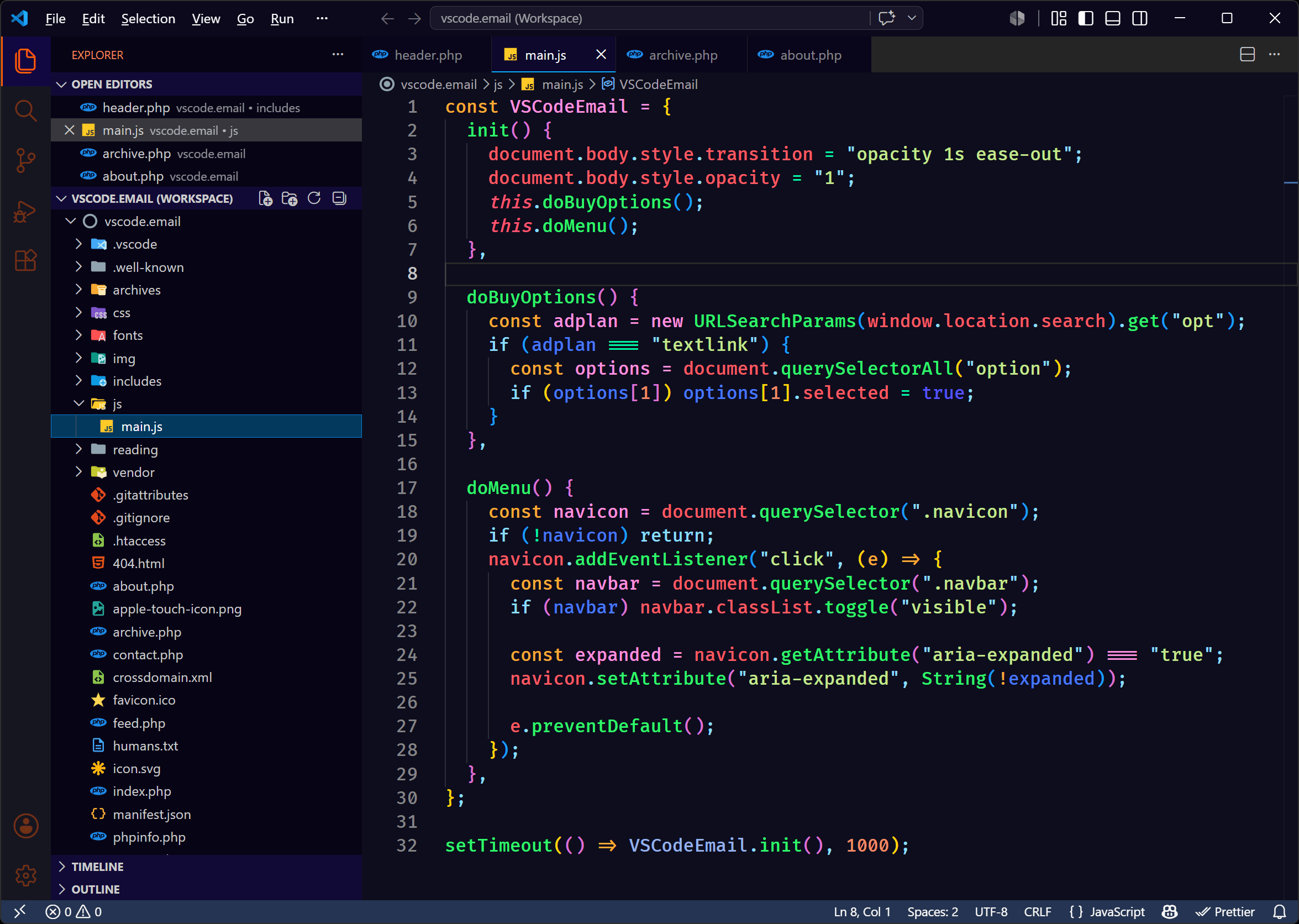
It's a single theme that has some vibrant neon syntax choices and some dark UI colors. You might not prefer your themes this dark, but the syntax highlighting is certainly clear and usable.
|
|
|
|
|
VS Code Articles & Videos
|
How Prompt Tuning Improved GPT-5.5 in VS Code — More from the VS Code on improvements to the app, this time how they're using prompt tuning on GPT-5.5 to reduce unnecessary codebase exploration, resulting in faster edit times, fewer tool calls, and improved token efficiency without sacrificing code quality.
Creating a VS Code Agent Hook to Respond to File Changes — Nicholas Zakas shows how to use a VS Code agent hook to detect edits to a specific file and trigger deterministic follow-up automation.
The Deep View — The go-to daily newsletter for 760k+ founders, knowledge workers and professionals who want to stay up to date with AI. Sponsor
Disable Sounds in VS Code — Not sure why this happened on Zell's install, but if you have sounds enabled in VS Code (maybe from an extension?), here's a quick tip on how to disable them.
|
|
|
Best of the Rest
|
Shopify Storefront Web Components Playground — Try out Shopify’s Storefront Web Components in an interactive playground that allows you to experiment with different components and see how they work in real time.
Agent Island — An open source status companion for your menbar, for Claude Code and Codex, available for macOS and Windows.
$14,000+ in AI Tools. One Card. $199 — Unlock $14,000+ in AI tools, credits, templates, perks and partner benefits with the AI Executive’s Pass. Built for operators, founders and leaders who want to move faster with AI. Sponsor
Introducing JetBrains Central: An Open System for Agentic Software Development — Currently in early access, a new offering from the JetBrains team, to enable you to transform AI-powered workflows into a unified production system, connecting tools, agents, and infrastructure.
If you have any link suggestions, including a tool, article, or other resource related to VS Code or another IDE, you can hit reply, send it via DM on X, or via chat on Bluesky.
That's it for this issue.
Happy VS Coding!
Louis
VSCode.Email
@LouisLazaris
|
|
|